Seasonry: a cherry tree shown across four seasons Seasonry
How it works Guide Garden styles Blog Pricing About Got a link?
Start planning See plans

Add a shared garden

Looks like seasonry.app/tend/…, a friend sent it by text or email.

You'll get a view-only look at their garden and a simple watering list. You can't edit anything.

Pictures of Seasonry

What Seasonry looks like

Real pictures from the app. The screenshots show Seasonry as you see it in your browser, and the Garden Visual pictures were made by Seasonry from gardens designed in it. None of them is an illustration.

Example Garden

One garden, all year round

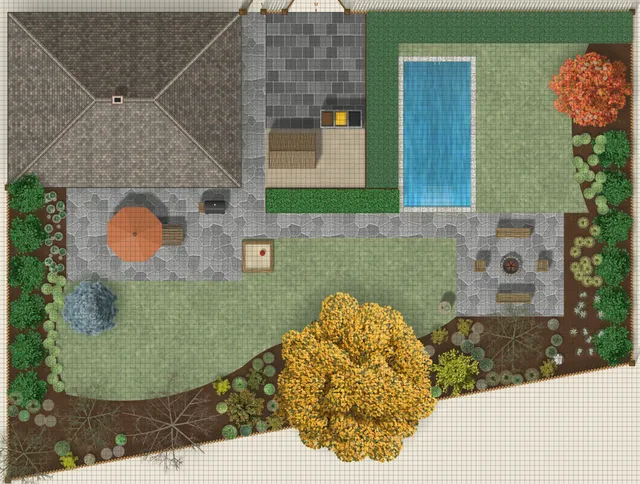
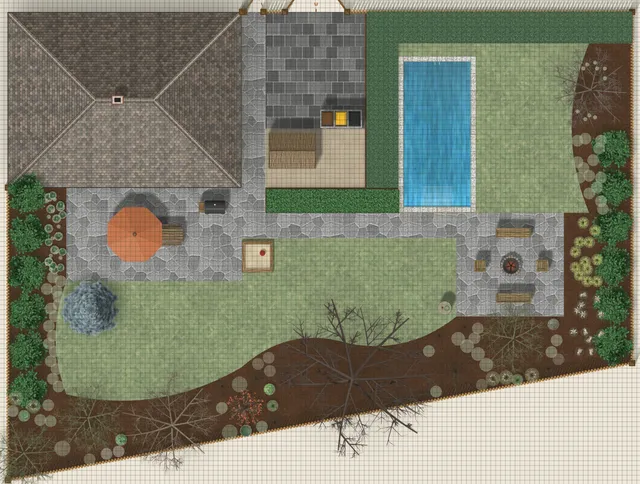
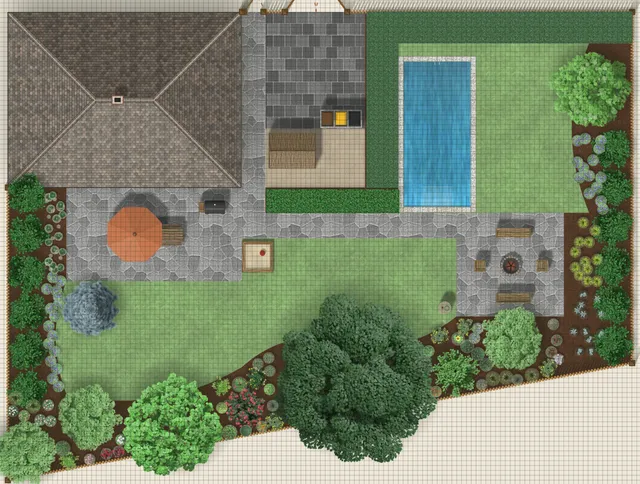
Seasonry’s demo garden from above in the four seasons, then in Garden Visual pictures from where you would stand in it.
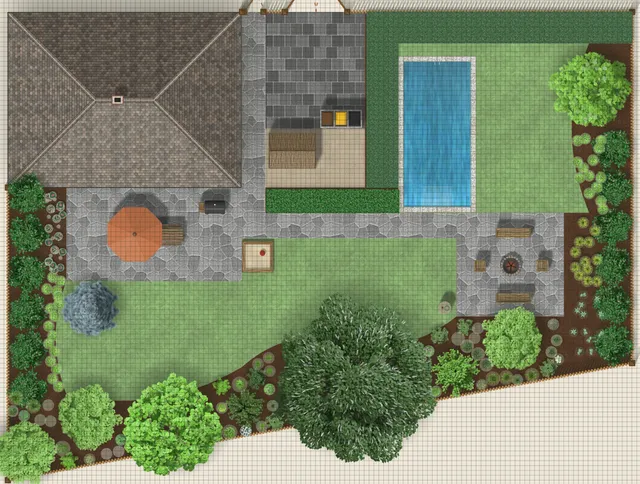
The Example Garden from above, spring, April.
Spring, April
The Example Garden from above, summer, July.
Summer, July
The Example Garden from above, autumn, November.
Autumn, November
The Example Garden from above, winter, January.
Winter, January
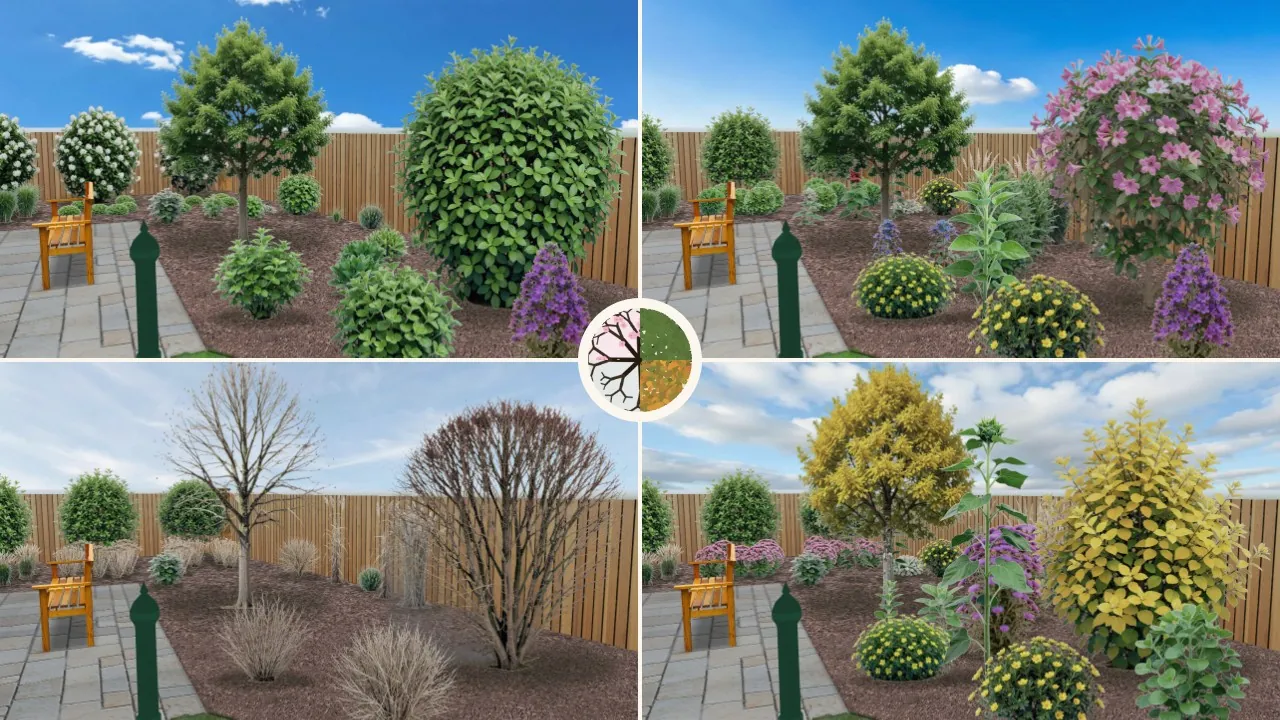
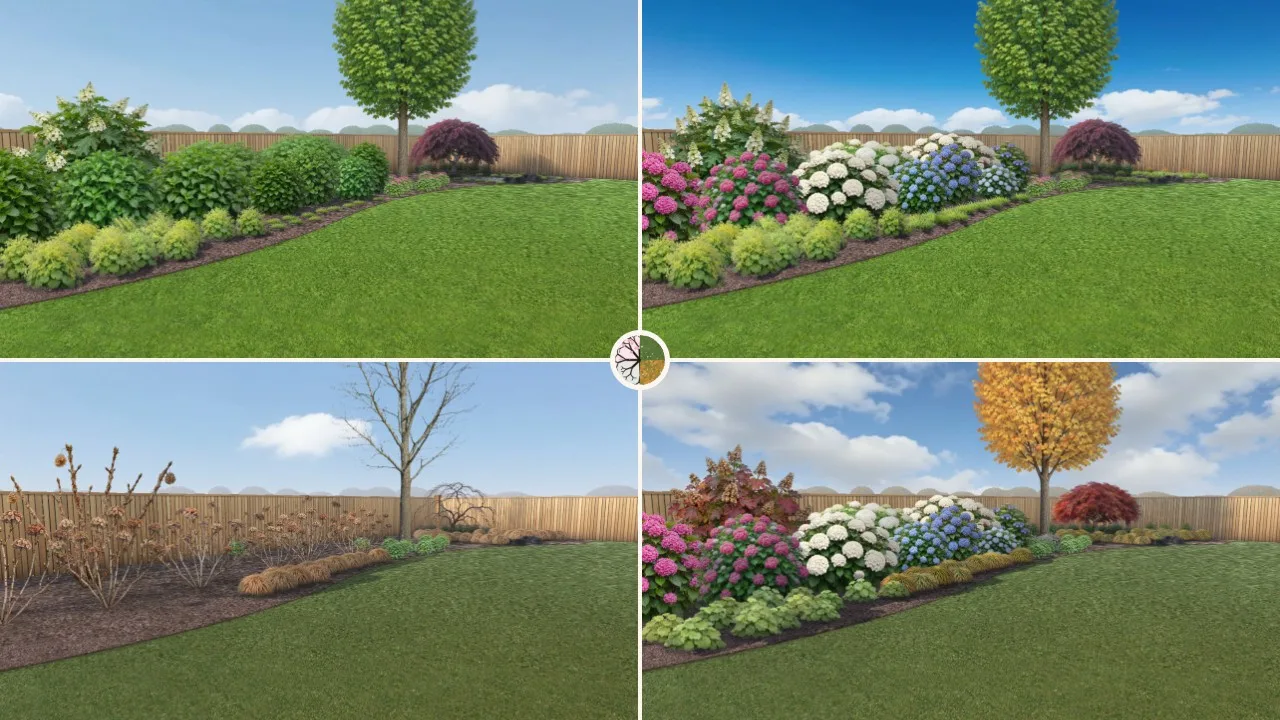
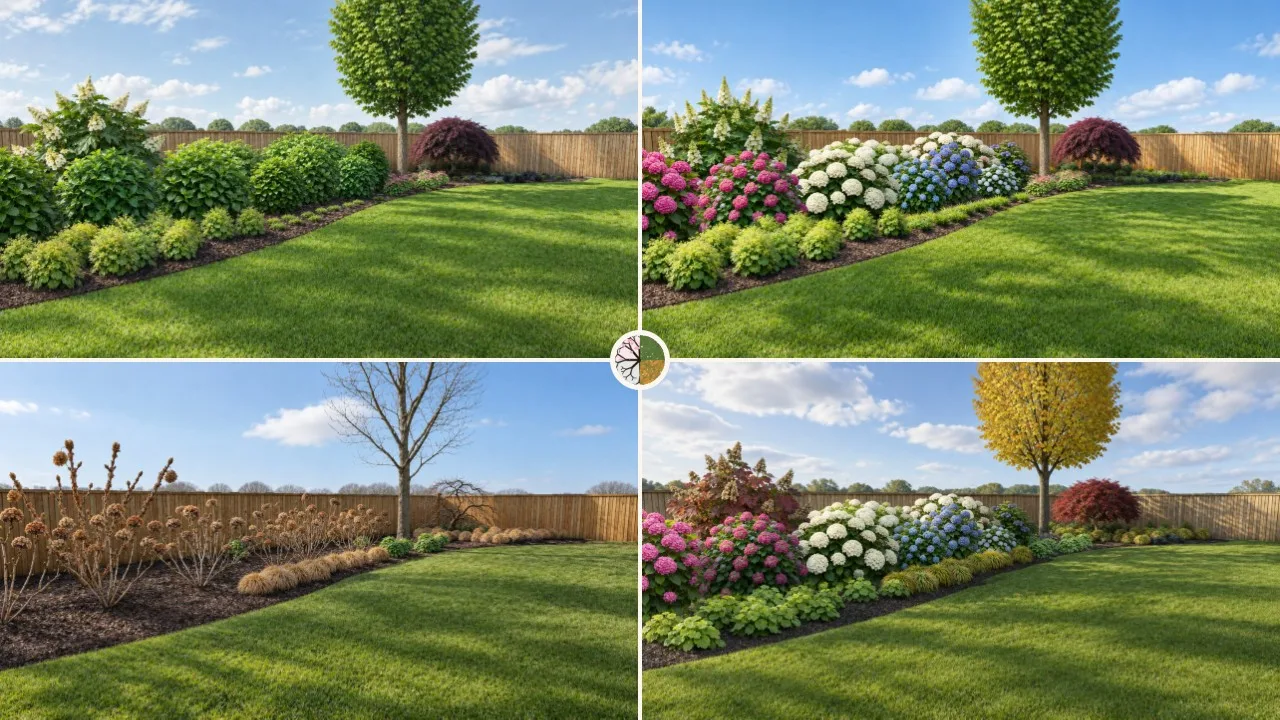
The year picture: The back border in spring, summer, autumn and winter, in a single Garden Visual picture.
The year picture The back border in spring, summer, autumn and winter, in a single Garden Visual picture.Garden Visual · Example Garden
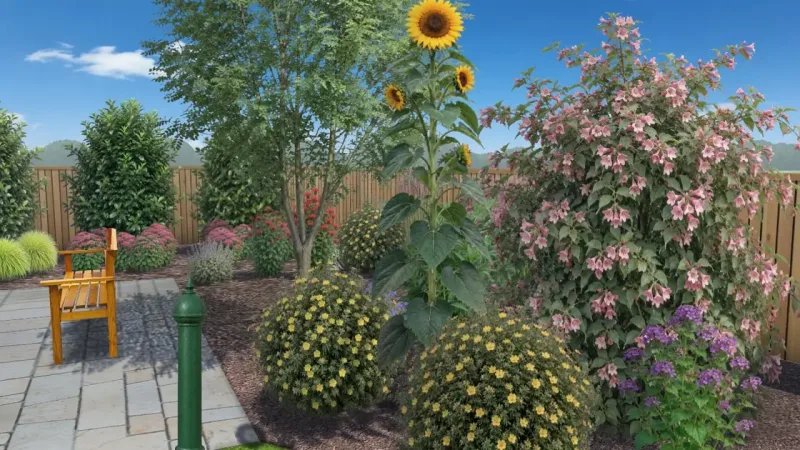
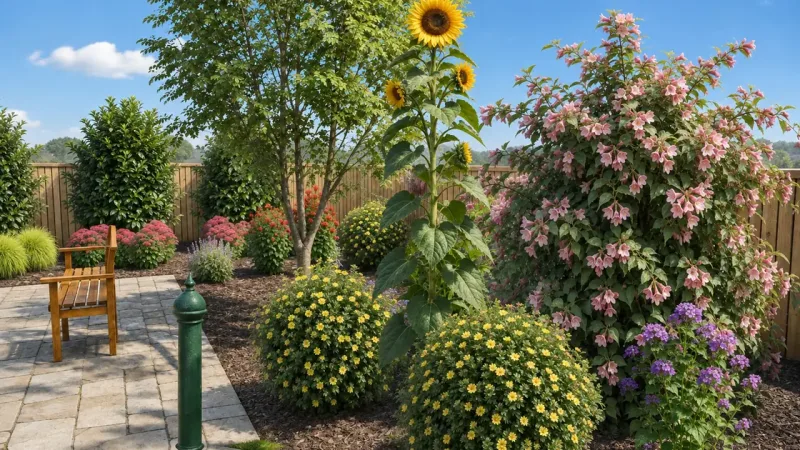
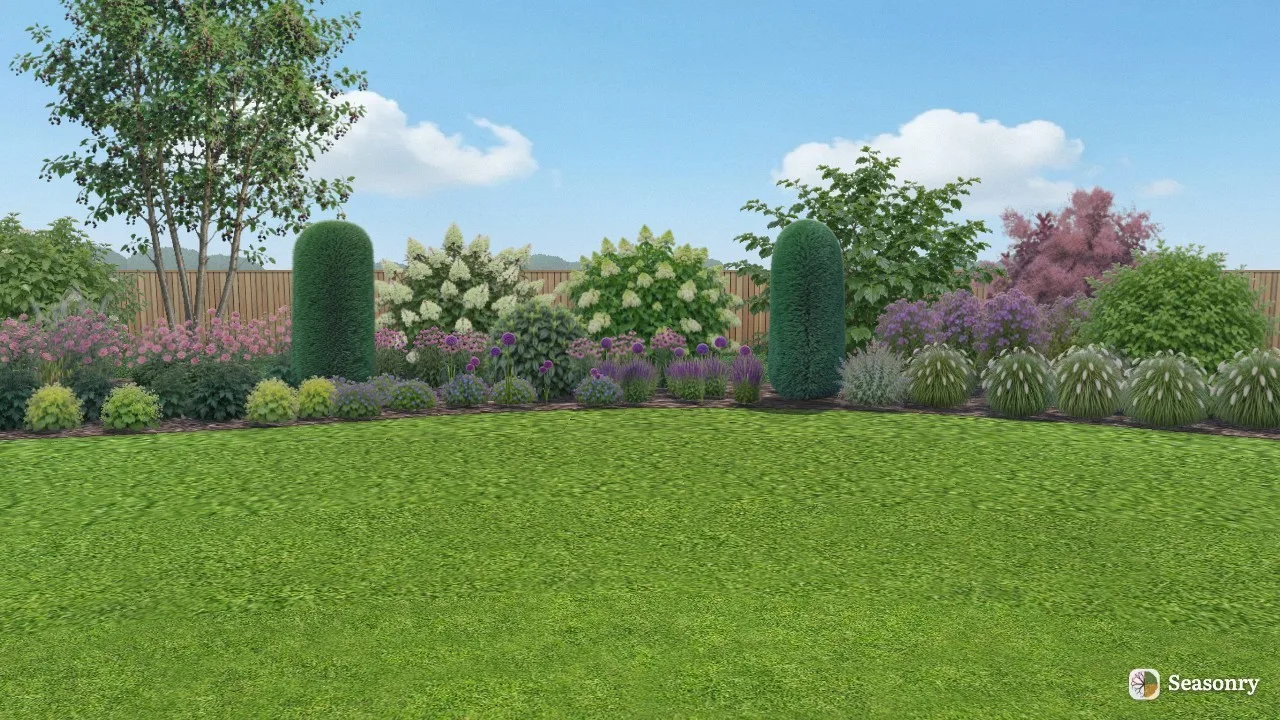
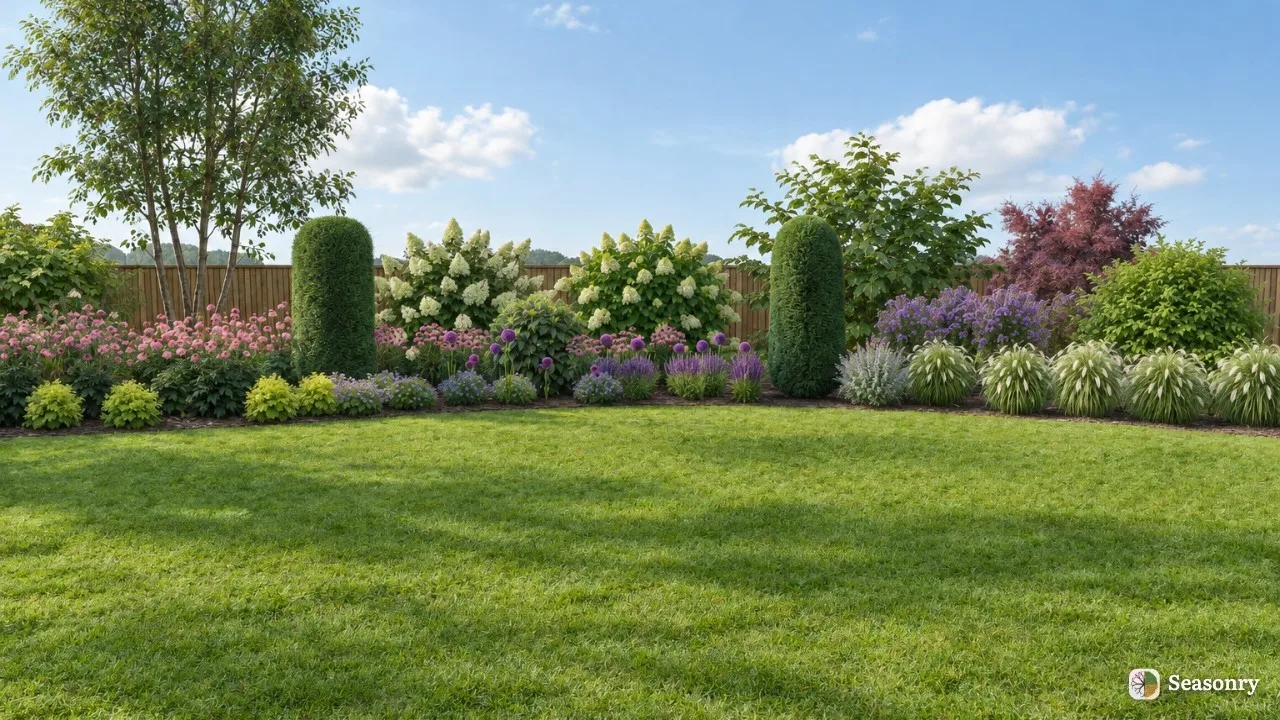
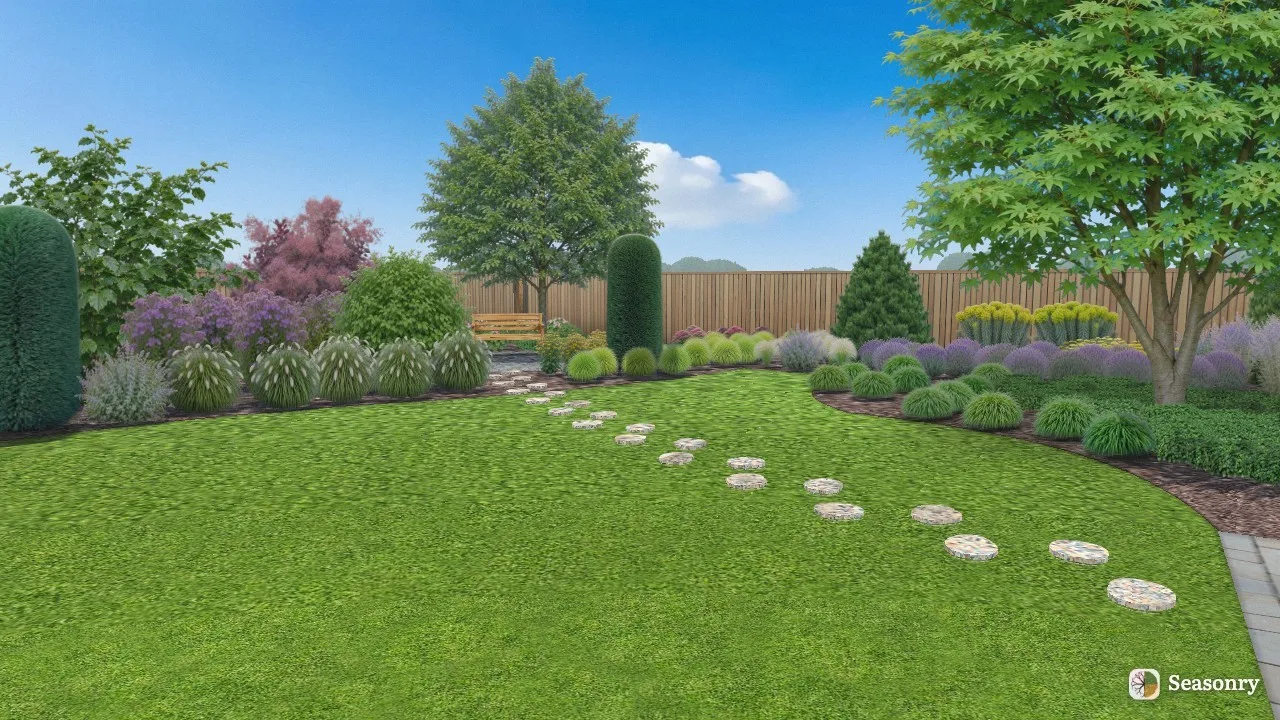
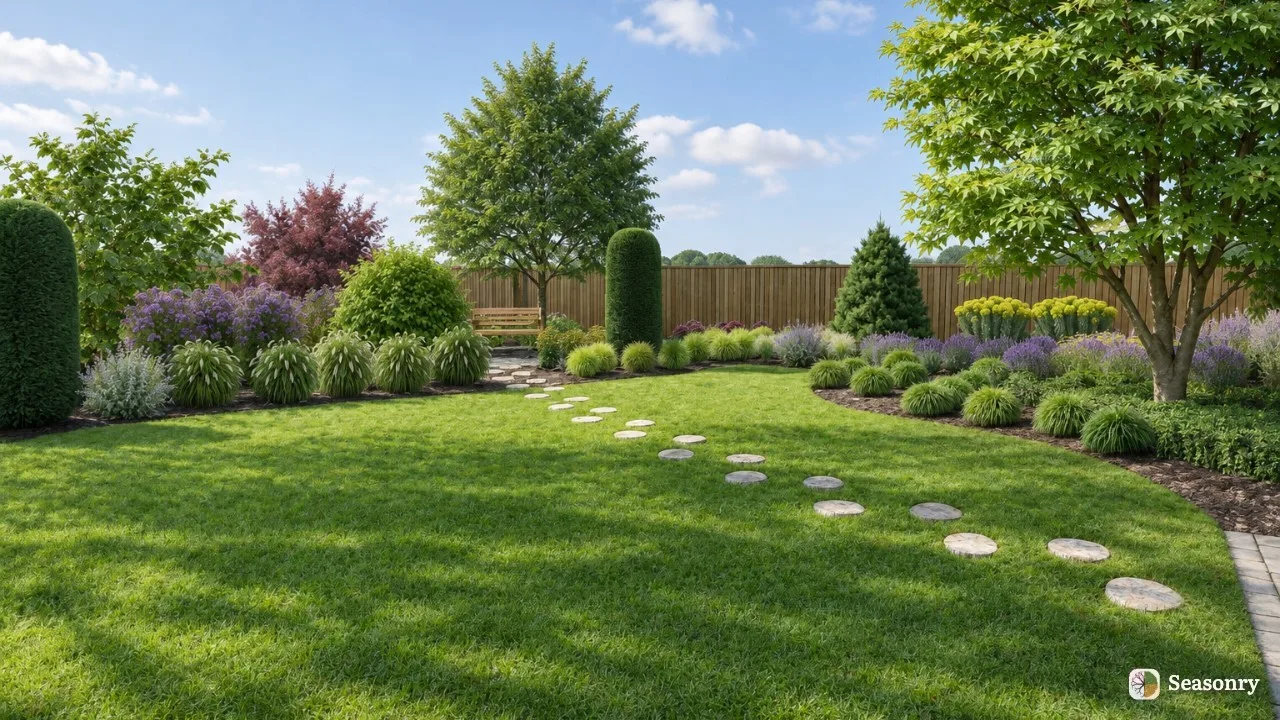
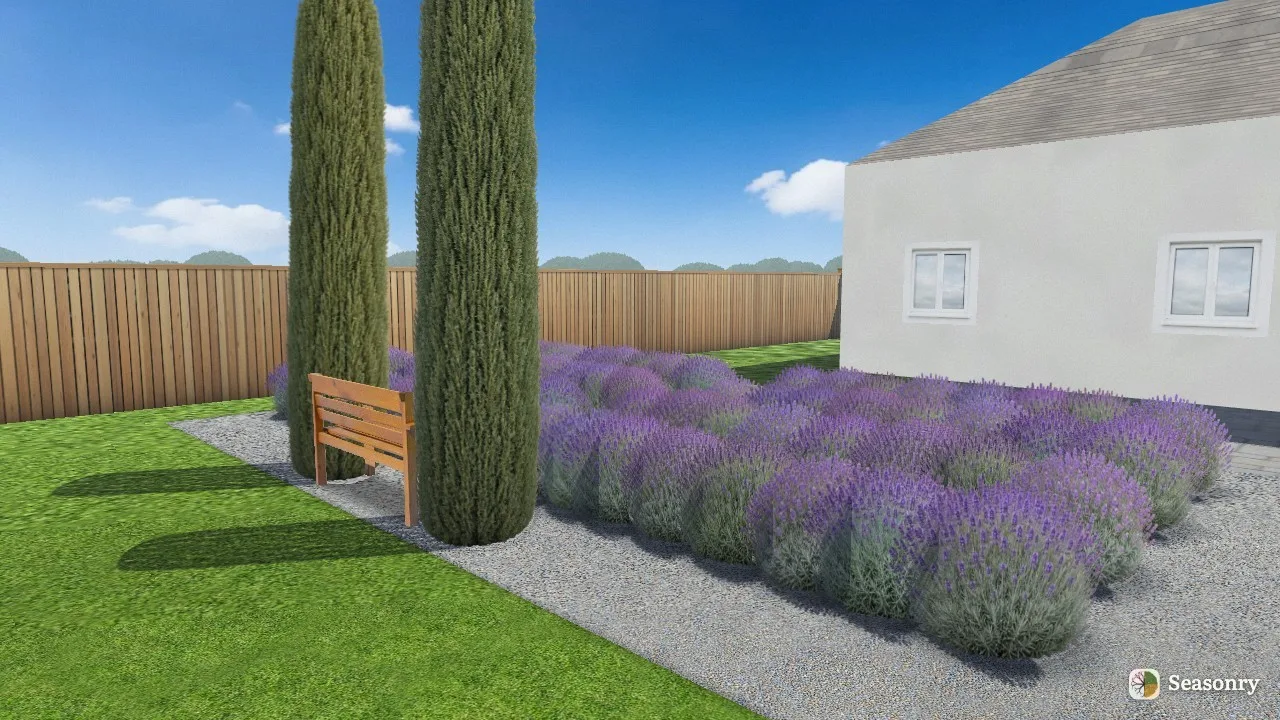
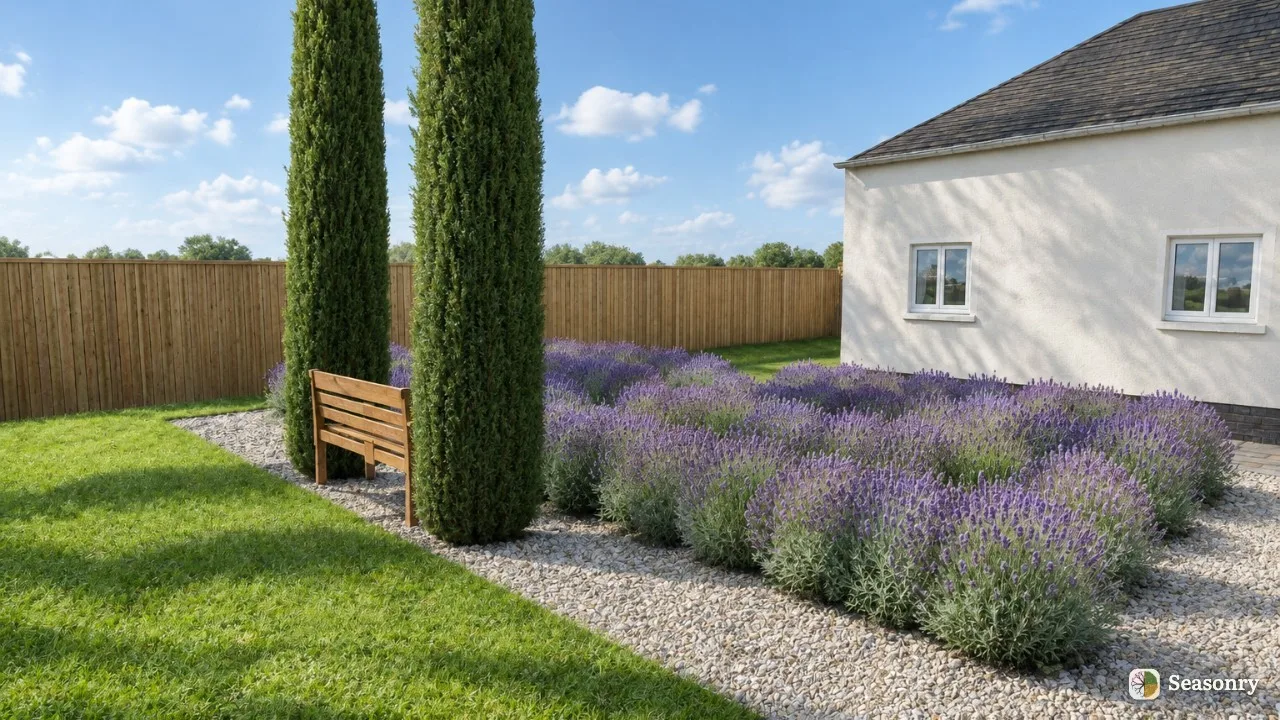
The back border in summer At eye level, with the plants in the plan, the bench and the fence. With AI Enhance the same plants stay in the same places, and only the light, the sky and the background become more lifelike.Garden Visual · Example Garden

Screenshots

The planner, as you use it

Seasonry in English, in a desktop browser.
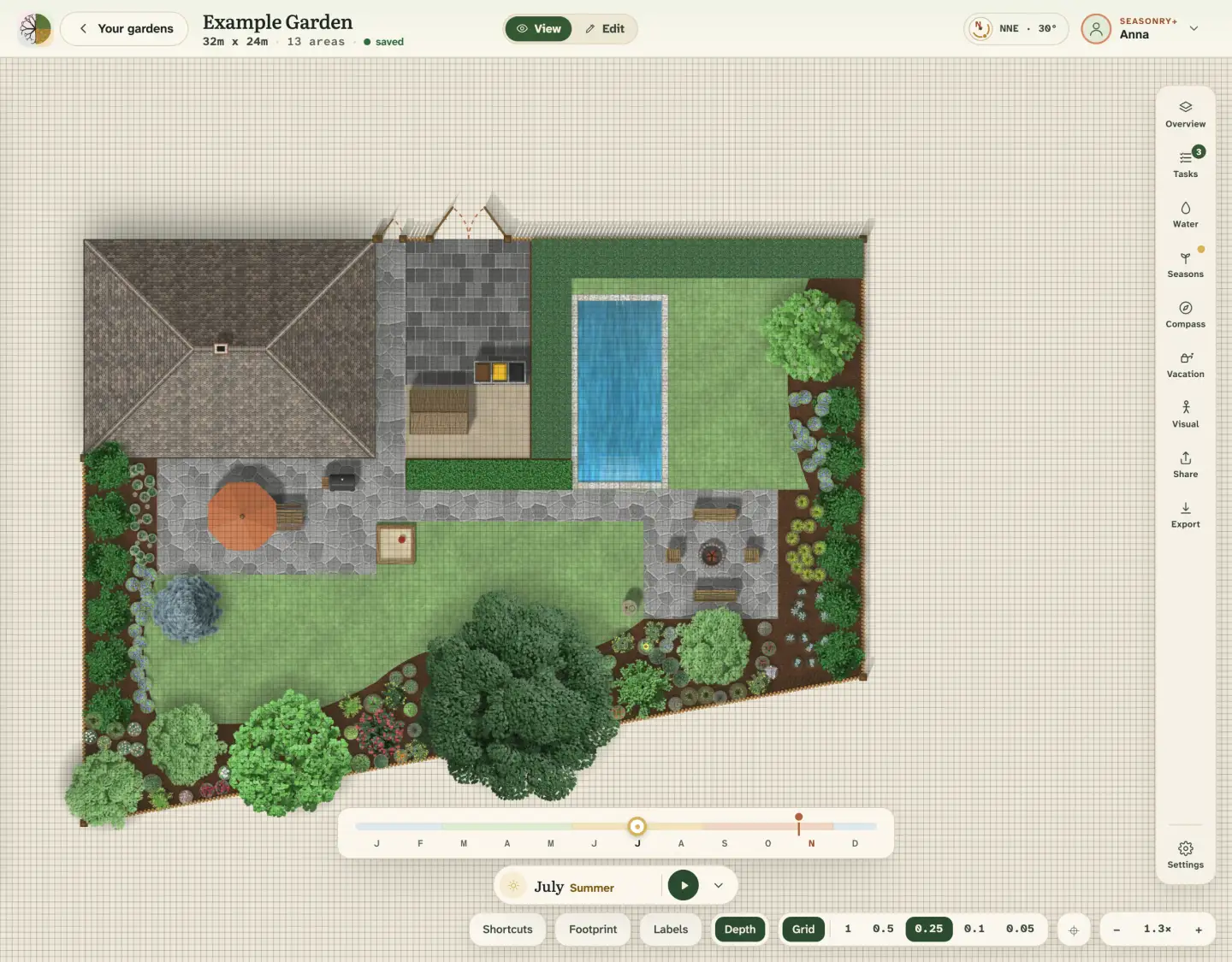
View mode: The Example Garden in July, in the Live season view. On the timeline you can follow how the garden changes from month to month.
View mode The Example Garden in July, in the Live season view. On the timeline you can follow how the garden changes from month to month.Screenshot · Example Garden
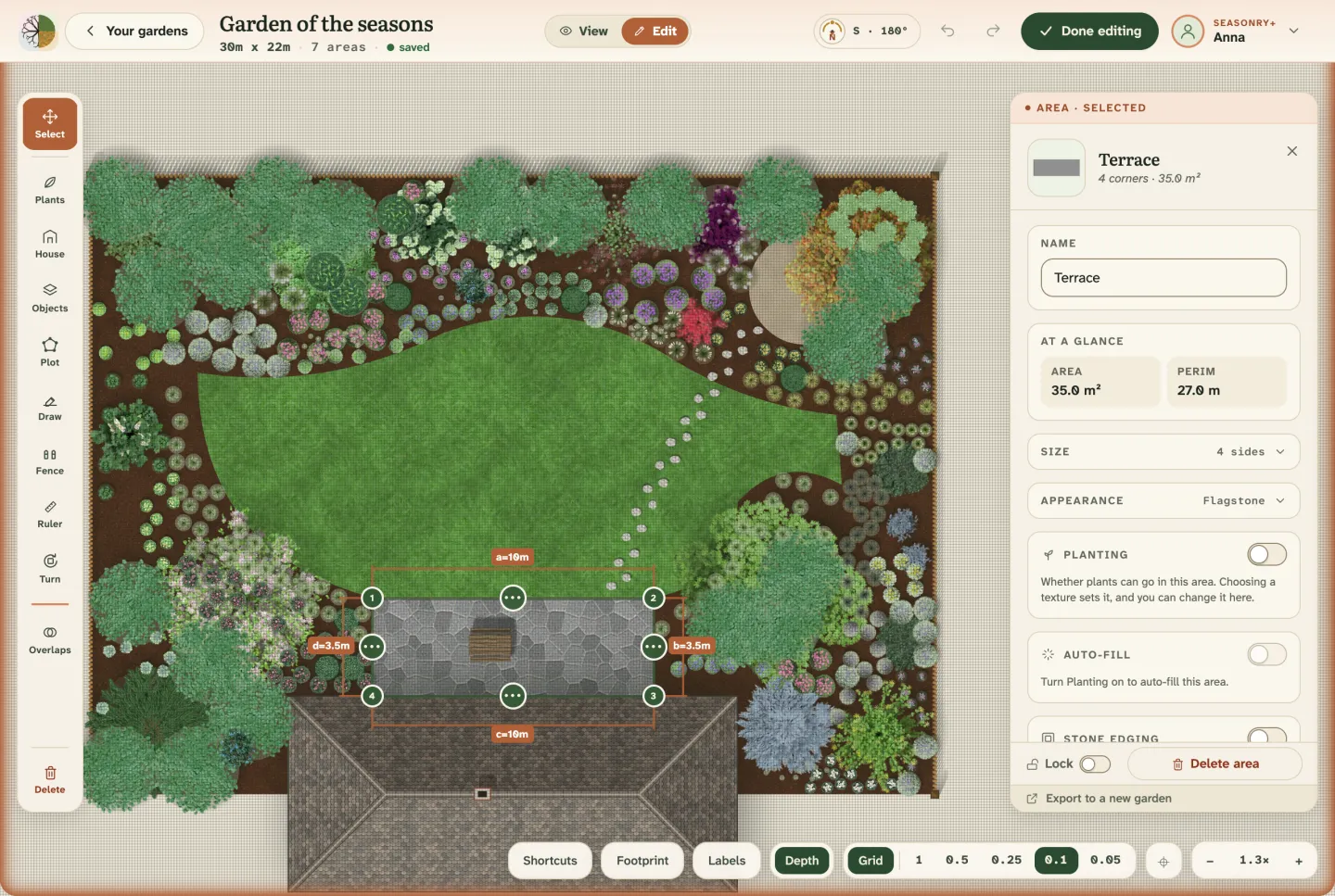
Editing: The Garden of the seasons in Edit mode: the selected terrace with its measurements, beside the panel showing its area and perimeter.
Editing The Garden of the seasons in Edit mode: the selected terrace with its measurements, beside the panel showing its area and perimeter.Screenshot · Garden of the seasons
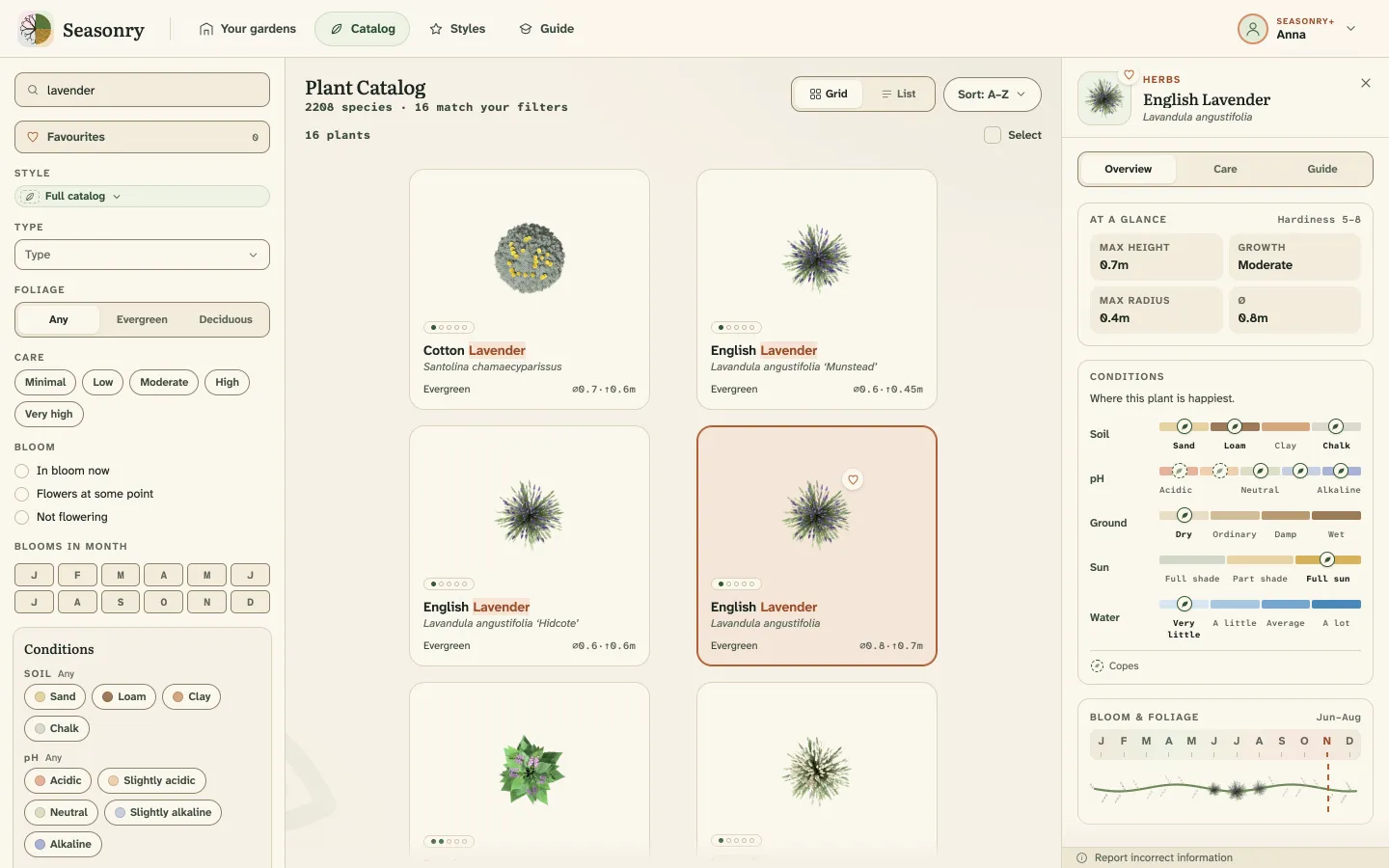
Plant catalogue: Searching the catalogue: the lavenders, and beside them the selected plant’s profile with its size, its Conditions and its bloom.
Plant catalogue Searching the catalogue: the lavenders, and beside them the selected plant’s profile with its size, its Conditions and its bloom.Screenshot · Plant catalogue
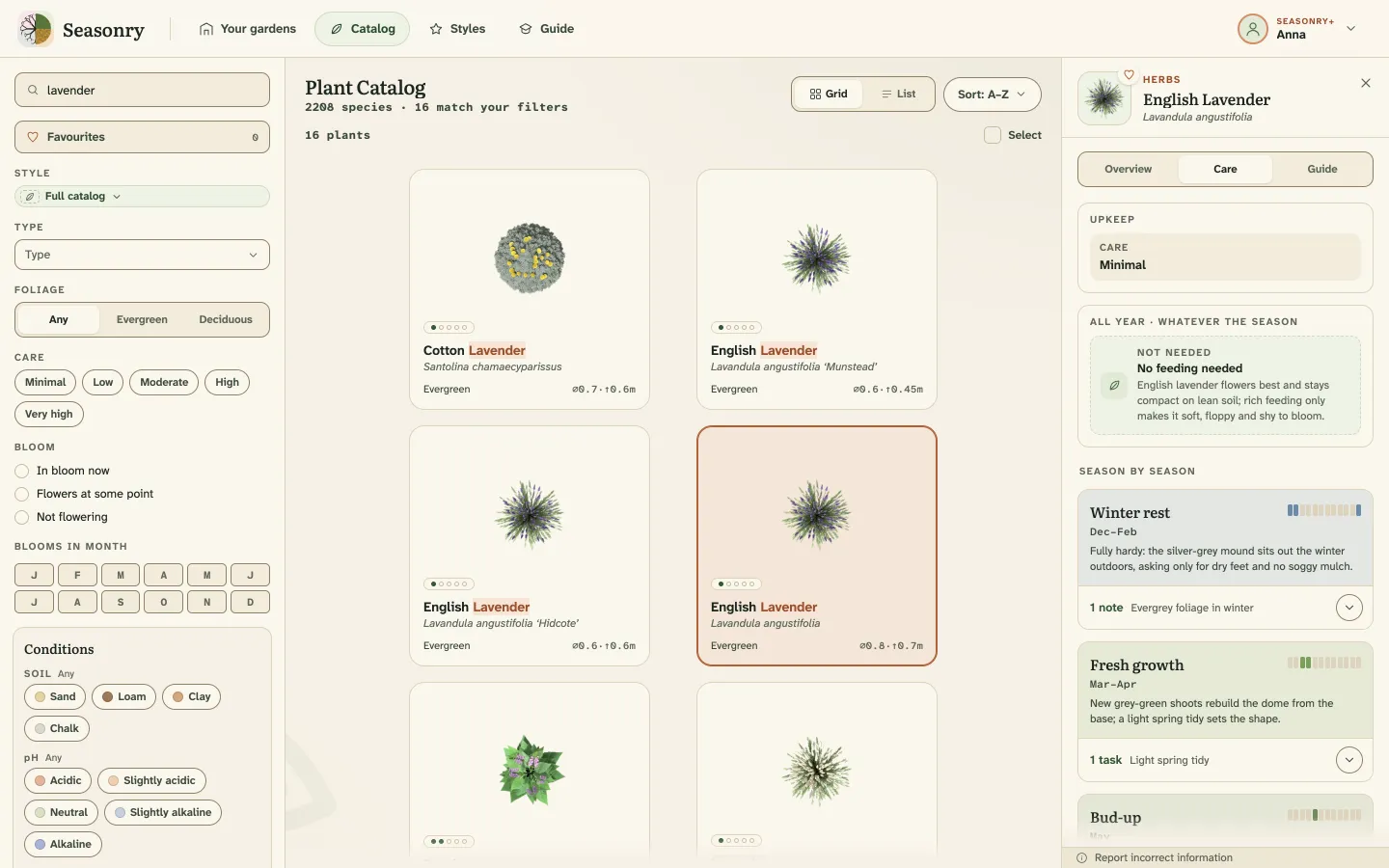
Care: The Care tab of the same lavender: how much work it asks for, what it does not need, and what happens to it season by season.
Care The Care tab of the same lavender: how much work it asks for, what it does not need, and what happens to it season by season.Screenshot · Plant catalogue
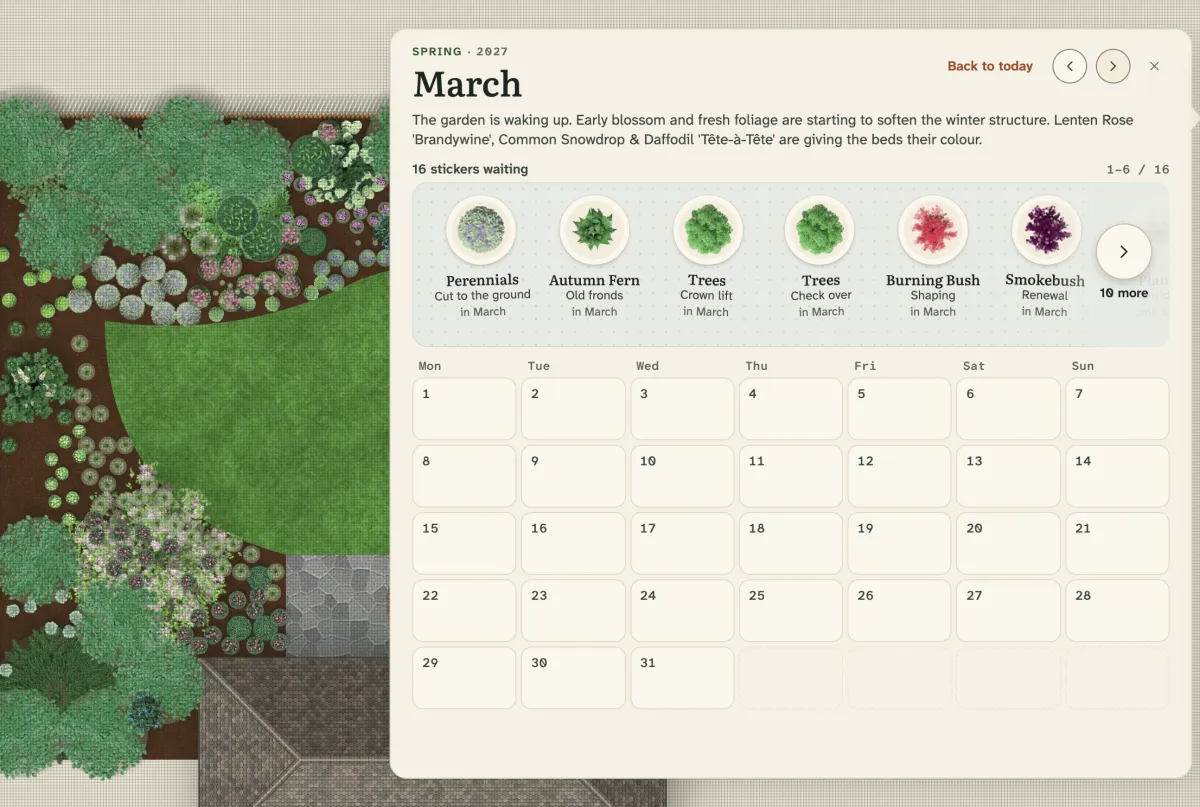
Tasks: The month’s calendar in March, a line on what is happening in the garden now, and a sticker for every job that is due.
Tasks The month’s calendar in March, a line on what is happening in the garden now, and a sticker for every job that is due.Screenshot · Garden of the seasons
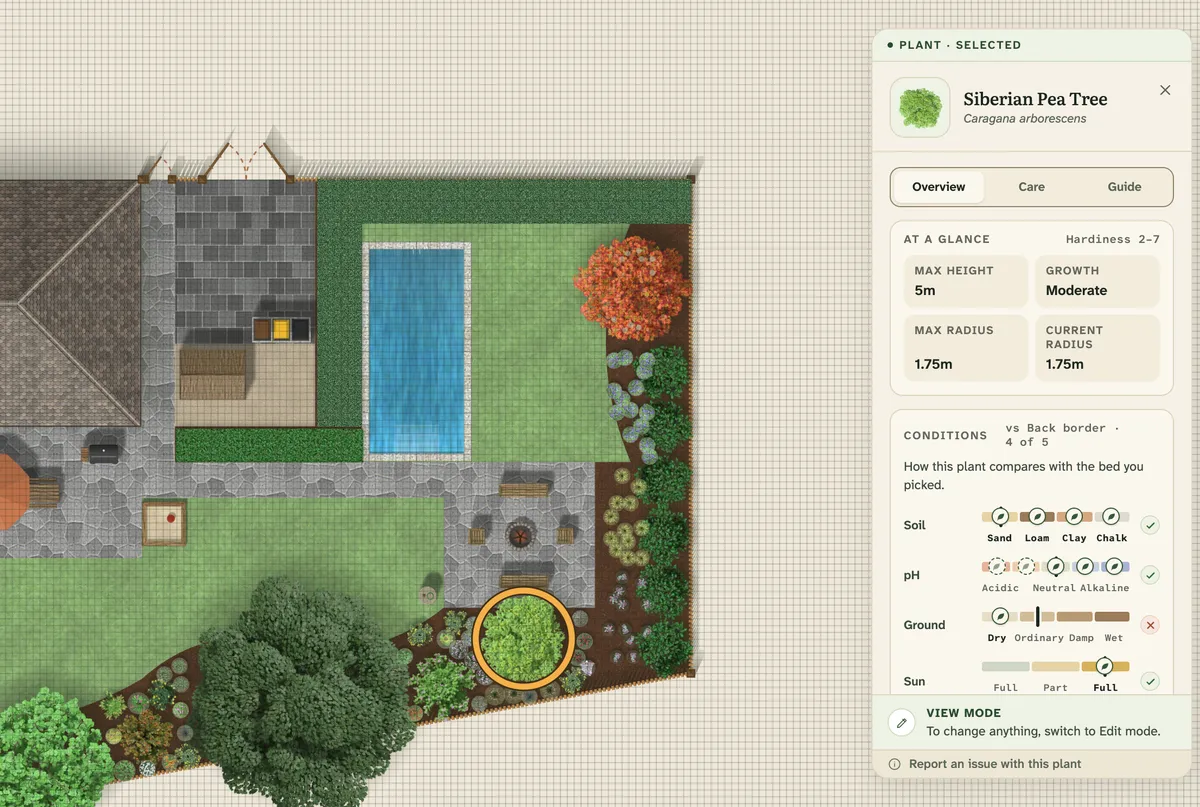
Conditions: A Siberian pea tree’s card: soil, pH, ground and sun, compared with the bed it grows in.
Conditions A Siberian pea tree’s card: soil, pH, ground and sun, compared with the bed it grows in.Screenshot · Example Garden
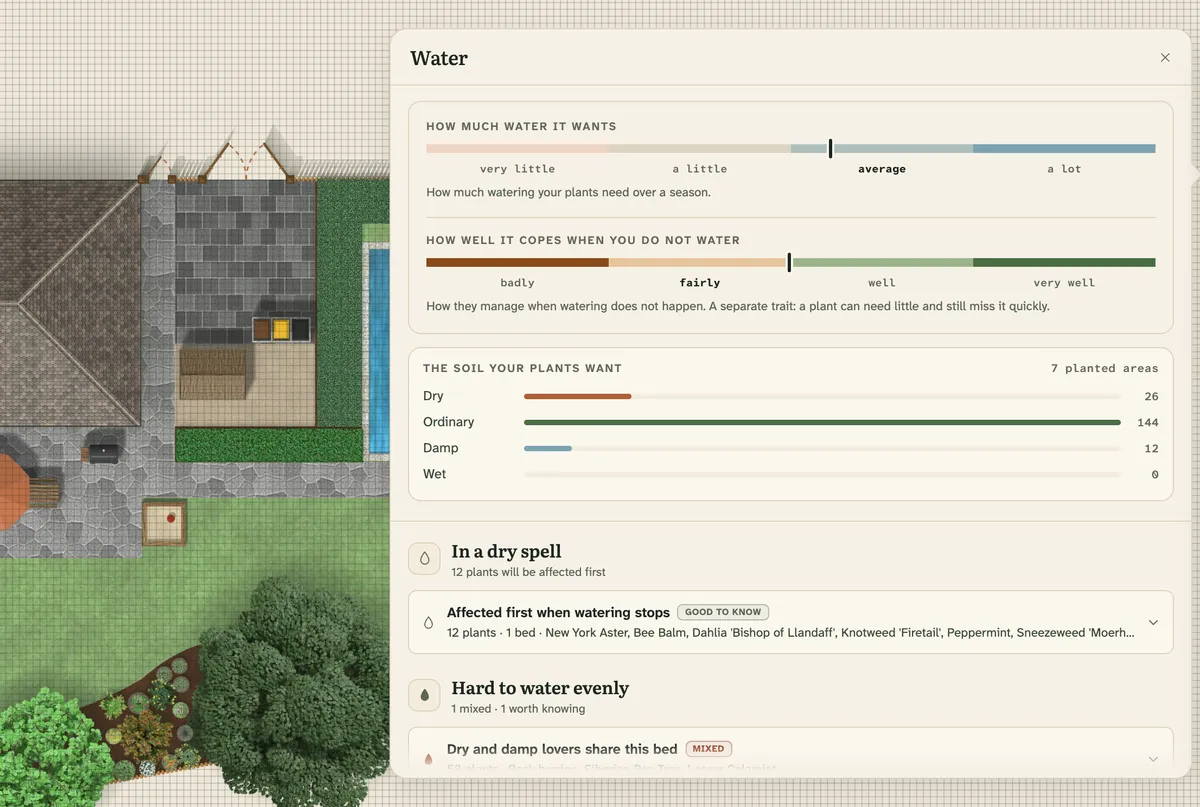
Water: The garden’s water needs and drought tolerance on two bars, the soil the planted areas call for, and the findings below.
Water The garden’s water needs and drought tolerance on two bars, the soil the planted areas call for, and the findings below.Screenshot · Example Garden
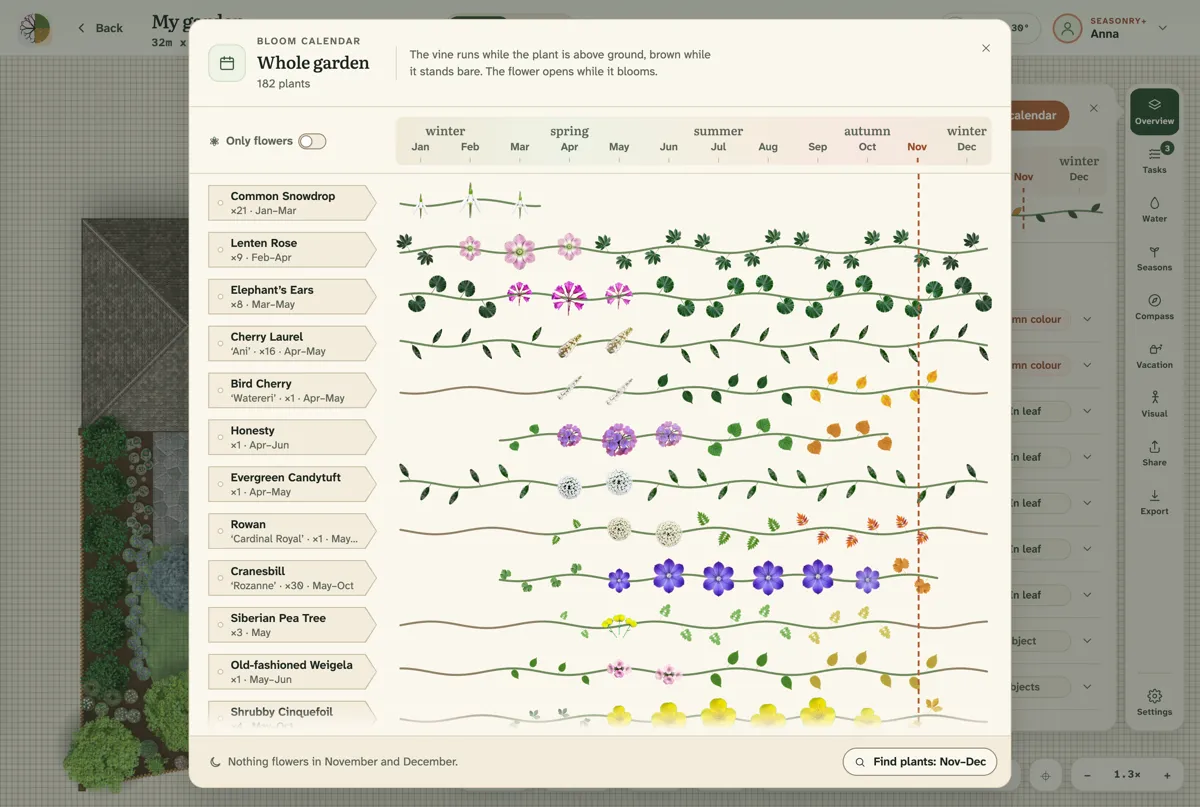
Bloom calendar: The garden’s plants one per row, each beside a vine across the twelve months that carries its own leaves and flowers.
Bloom calendar The garden’s plants one per row, each beside a vine across the twelve months that carries its own leaves and flowers.Screenshot · Example Garden
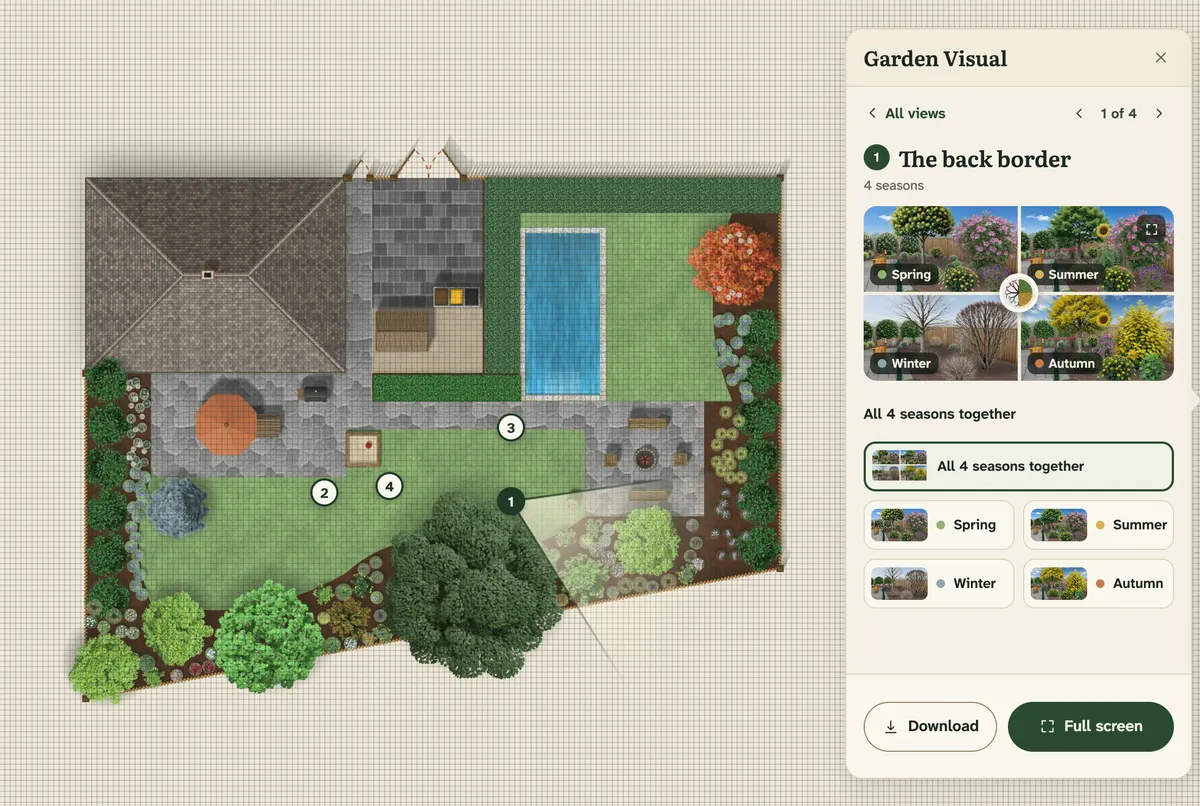
Garden Visual panel: The viewpoint and its field of view on the plan, and in the panel the year picture and the four seasons.
Garden Visual panel The viewpoint and its field of view on the plan, and in the panel the year picture and the four seasons.Screenshot · Example Garden
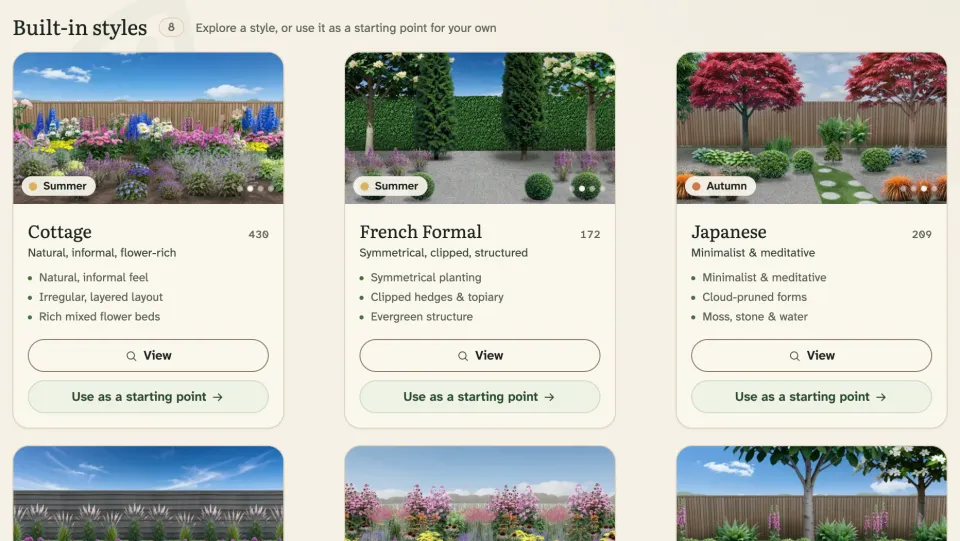
Garden styles: The built-in styles’ cards with their traits: Cottage, French Formal, Japanese and the rest.
Garden styles The built-in styles’ cards with their traits: Cottage, French Formal, Japanese and the rest.Screenshot · Garden styles page

More gardens

More gardens, more moods

A few gardens we designed in Seasonry, from above and in Garden Visual pictures.
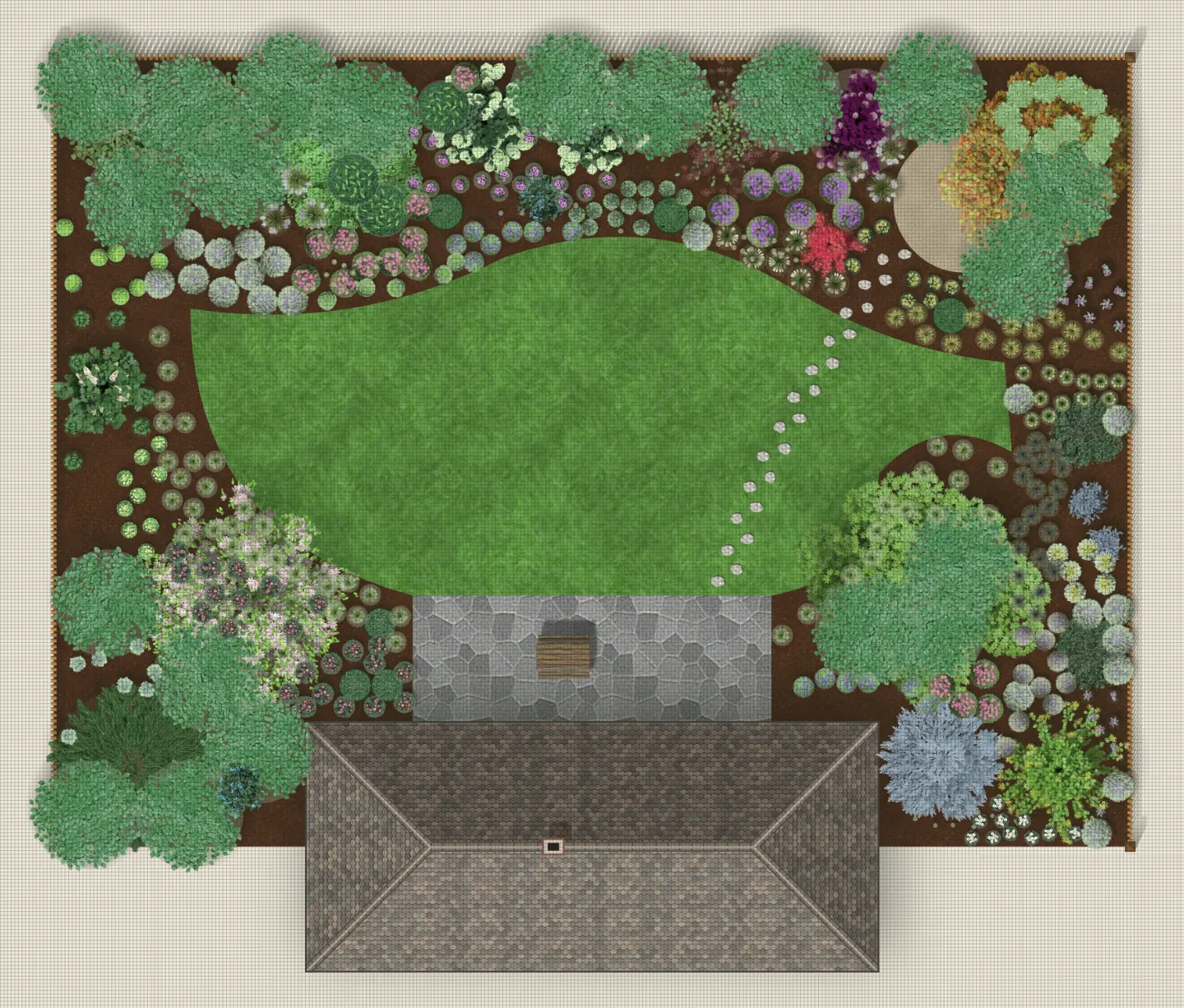
The Garden of the seasons from above: A 30 × 22 m garden with a winding lawn, stepping stones and perennial beds, in the Full splendor view.
The Garden of the seasons from above A 30 × 22 m garden with a winding lawn, stepping stones and perennial beds, in the Full splendor view.Top-down plan · Garden of the seasons
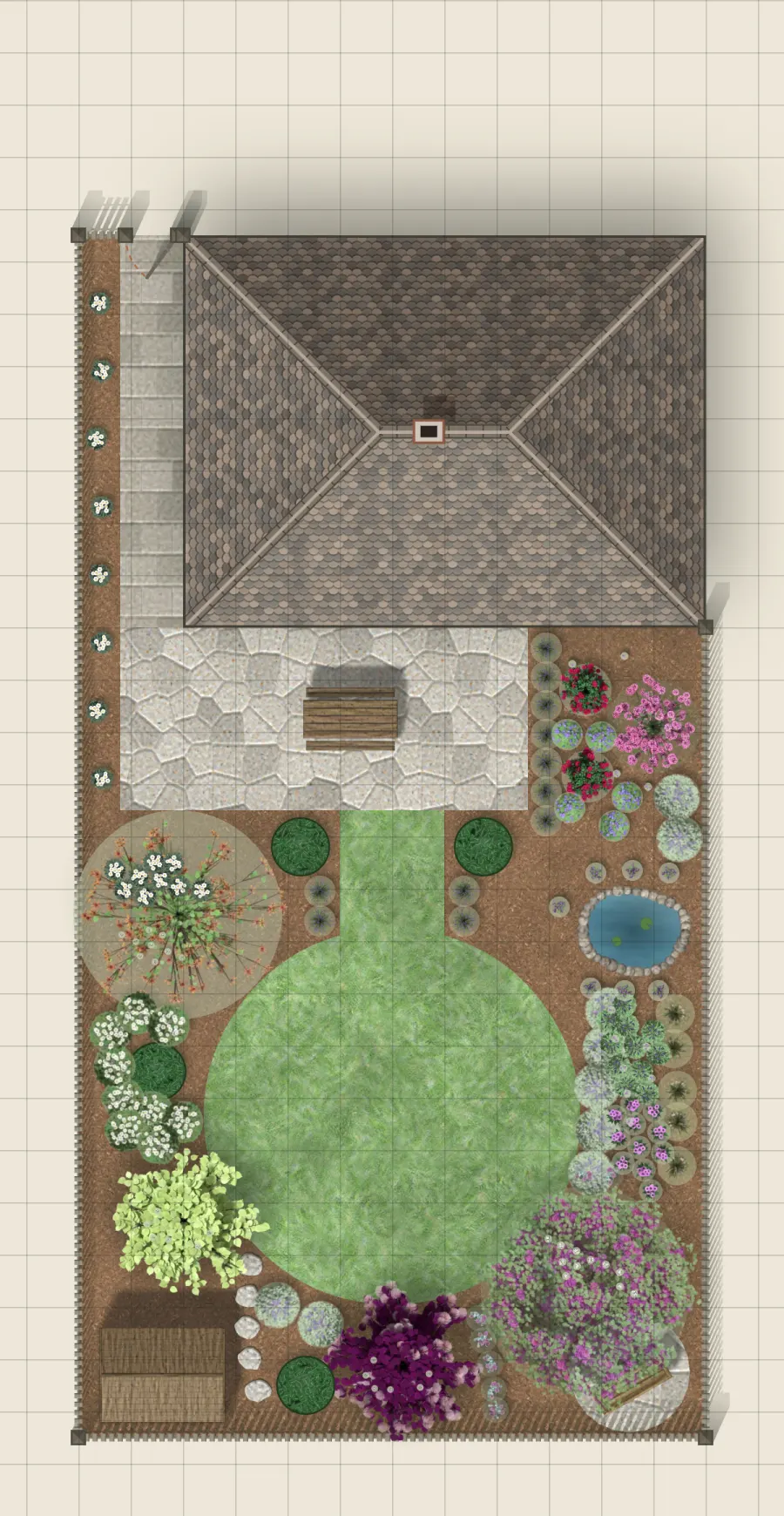
The Year-Round Garden from above: A 12 × 23 m garden: a terrace, a round lawn, a pond and beds all the way around.
The Year-Round Garden from above A 12 × 23 m garden: a terrace, a round lawn, a pond and beds all the way around.Top-down plan · Year-Round Garden
From the terrace to the back border The Garden of the seasons in summer, with the long perennial border across the lawn.Garden Visual · Garden of the seasons
The stepping-stone path Stepping stones across the lawn and the trees in the corner of the garden, in summer.Garden Visual · Garden of the seasons
The hydrangea border in four seasons Green in spring, in flower in summer and autumn, bare in winter: the same bed in a single Garden Visual picture.Garden Visual · Showcase garden
Lavender rows Lavender planted in gravel, with two columnar cypresses and a bench, in summer.Garden Visual · Showcase garden
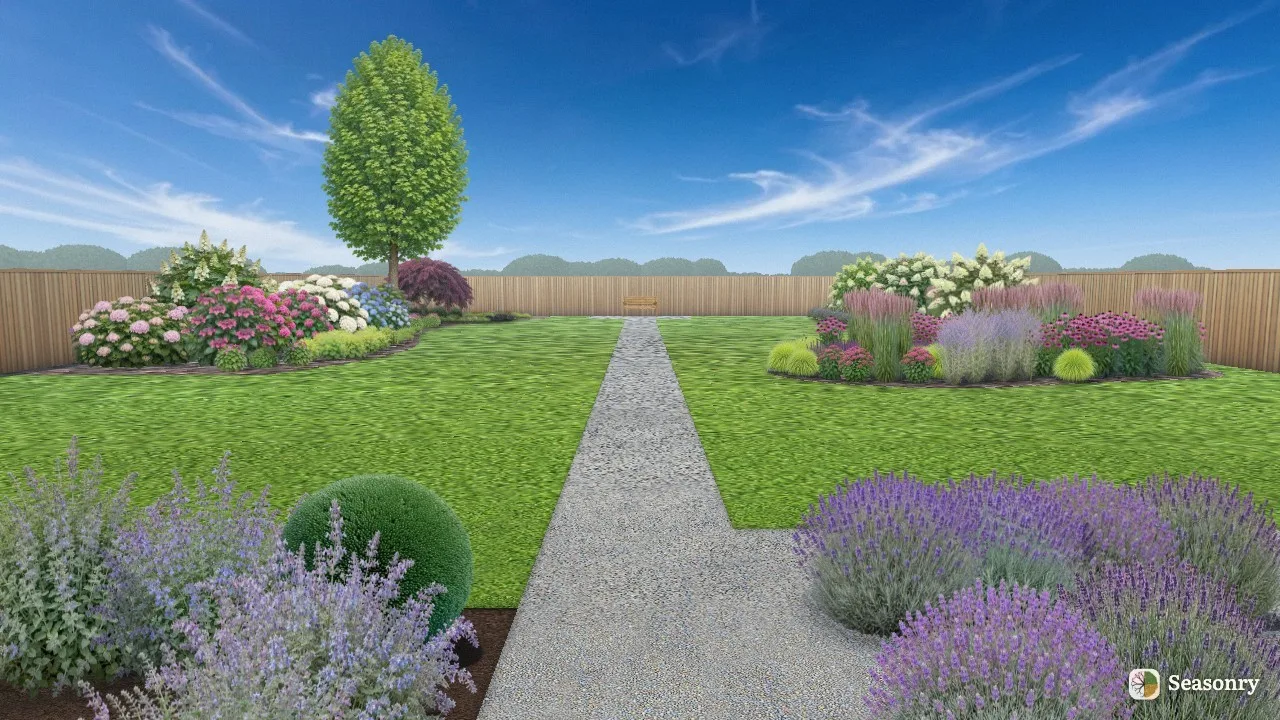
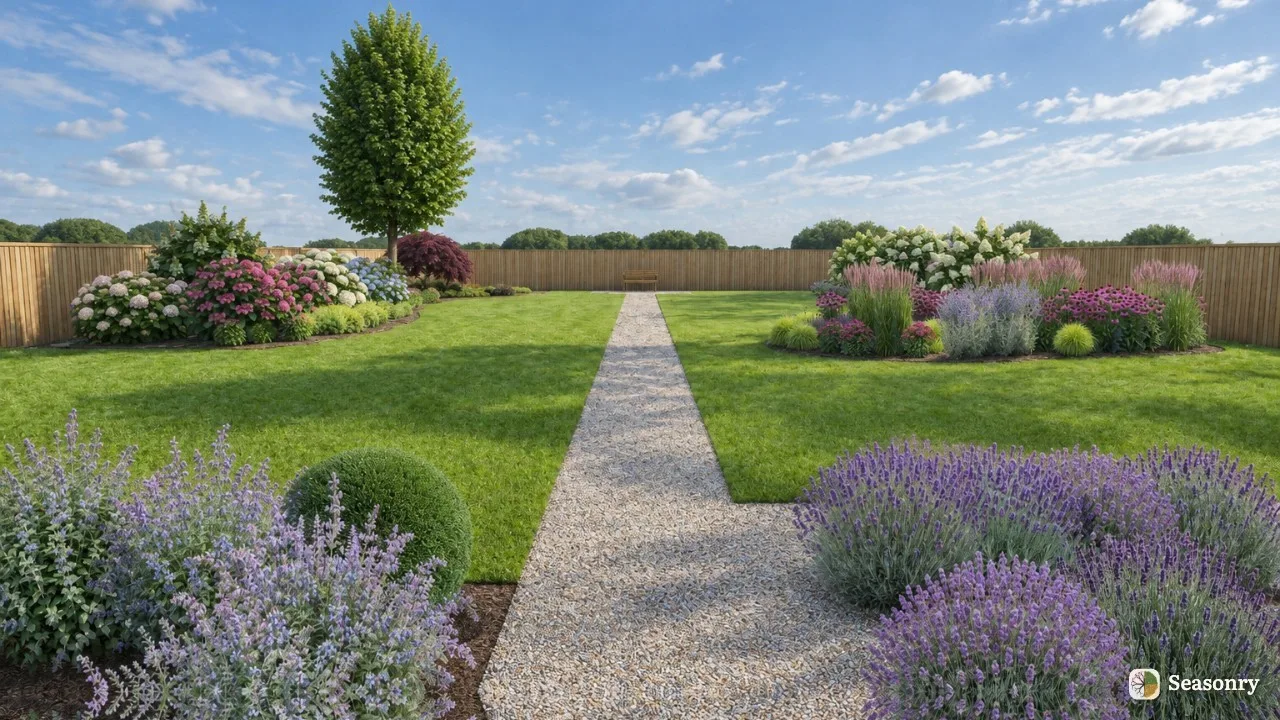
The gravel walk The walk from the terrace to the end of the garden, with beds on both sides, in summer.Garden Visual · Showcase garden

Every picture was made in Seasonry

The screenshots were taken of Seasonry’s own interface. The Garden Visual pictures were drawn by Seasonry’s Garden Visual feature from the gardens above. Where an AI Enhance version was made too, the two versions are shown side by side, labelled in the corner of each picture.

Start planning