Plan your garden. See how it changes through the year.
Seasonry is an online garden planner with real plant sizes, seasonal views and planning tools that take your garden’s conditions into account. Right in your browser, with nothing to install.
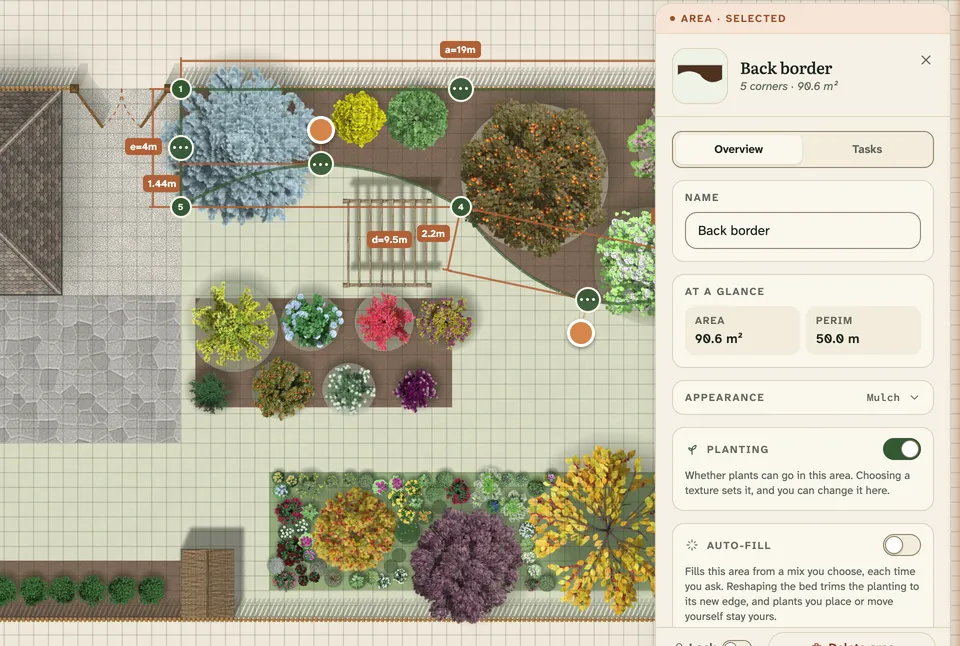
Plants take up the room they will need when fully grown
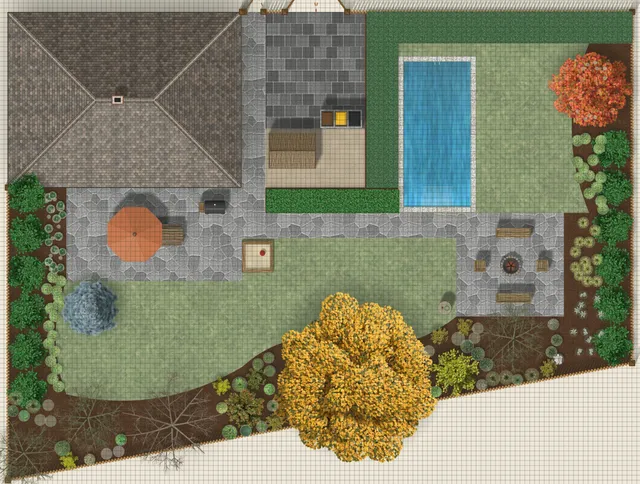
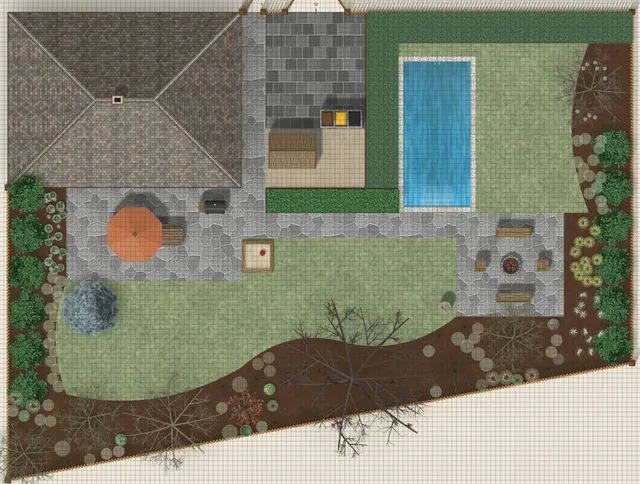
See the garden change month by month Seasonry+
A free account lets you draw and save a garden. The demo garden is view only: you can watch its seasons, but a garden of your own needs an account.
seasonry.app
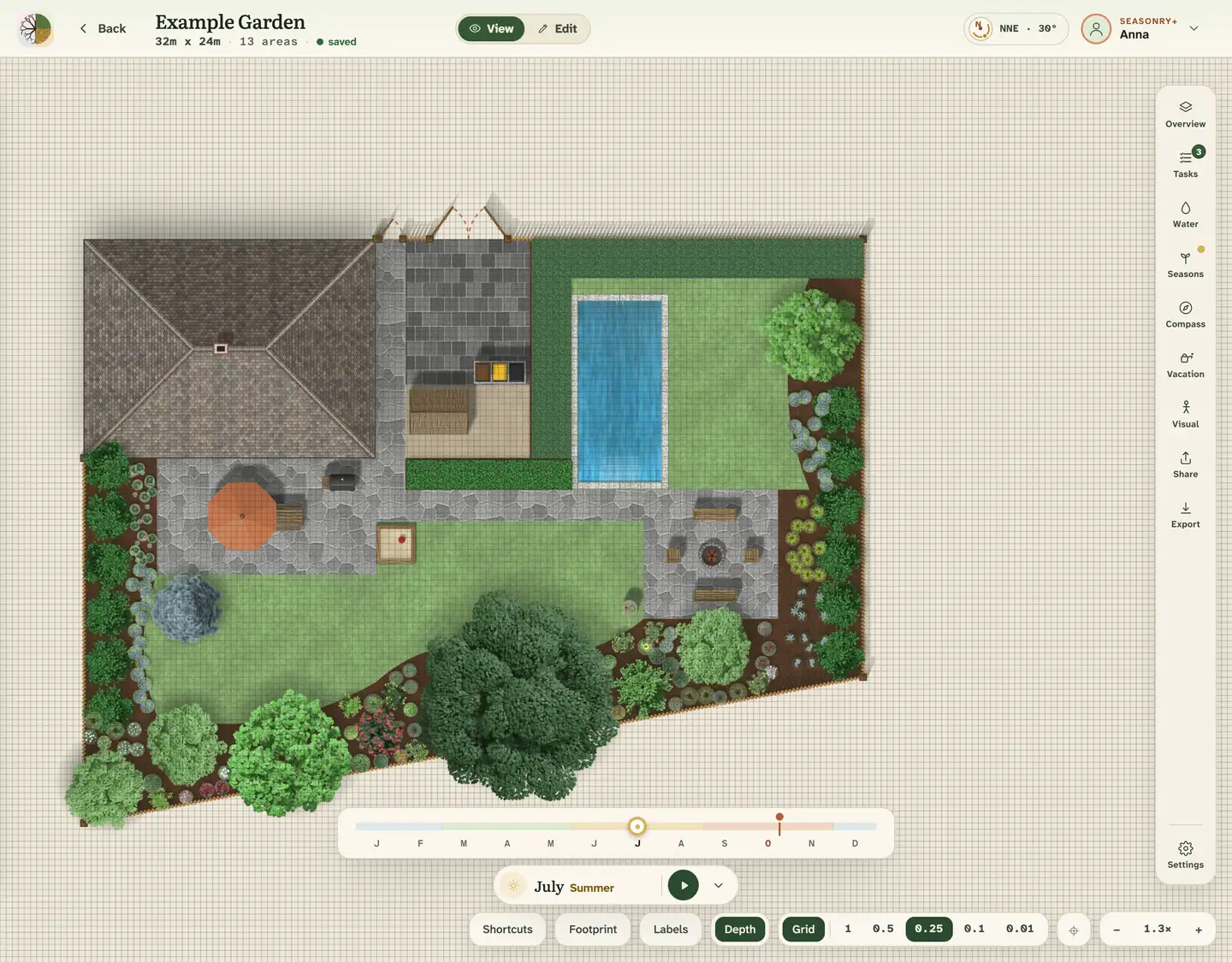
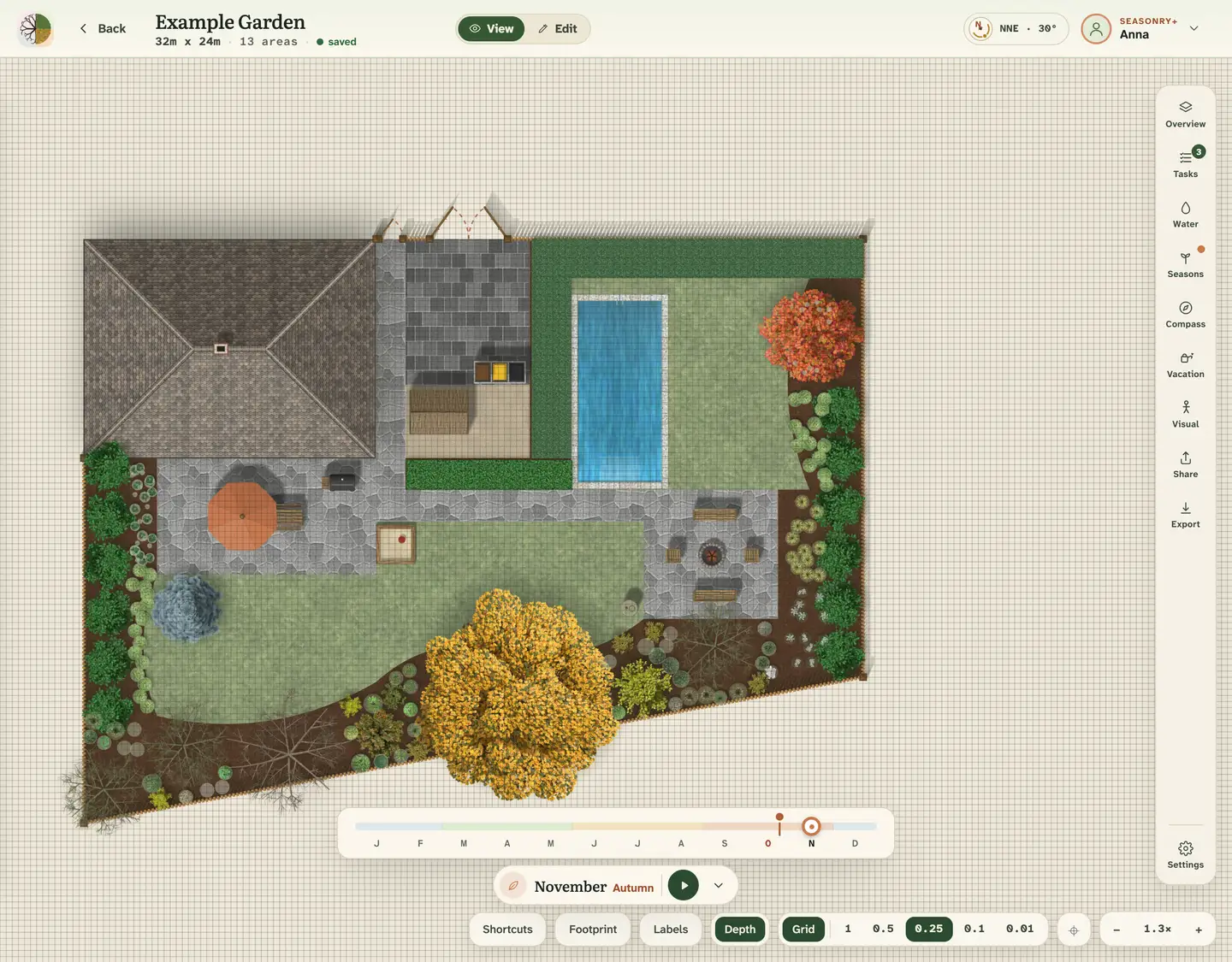
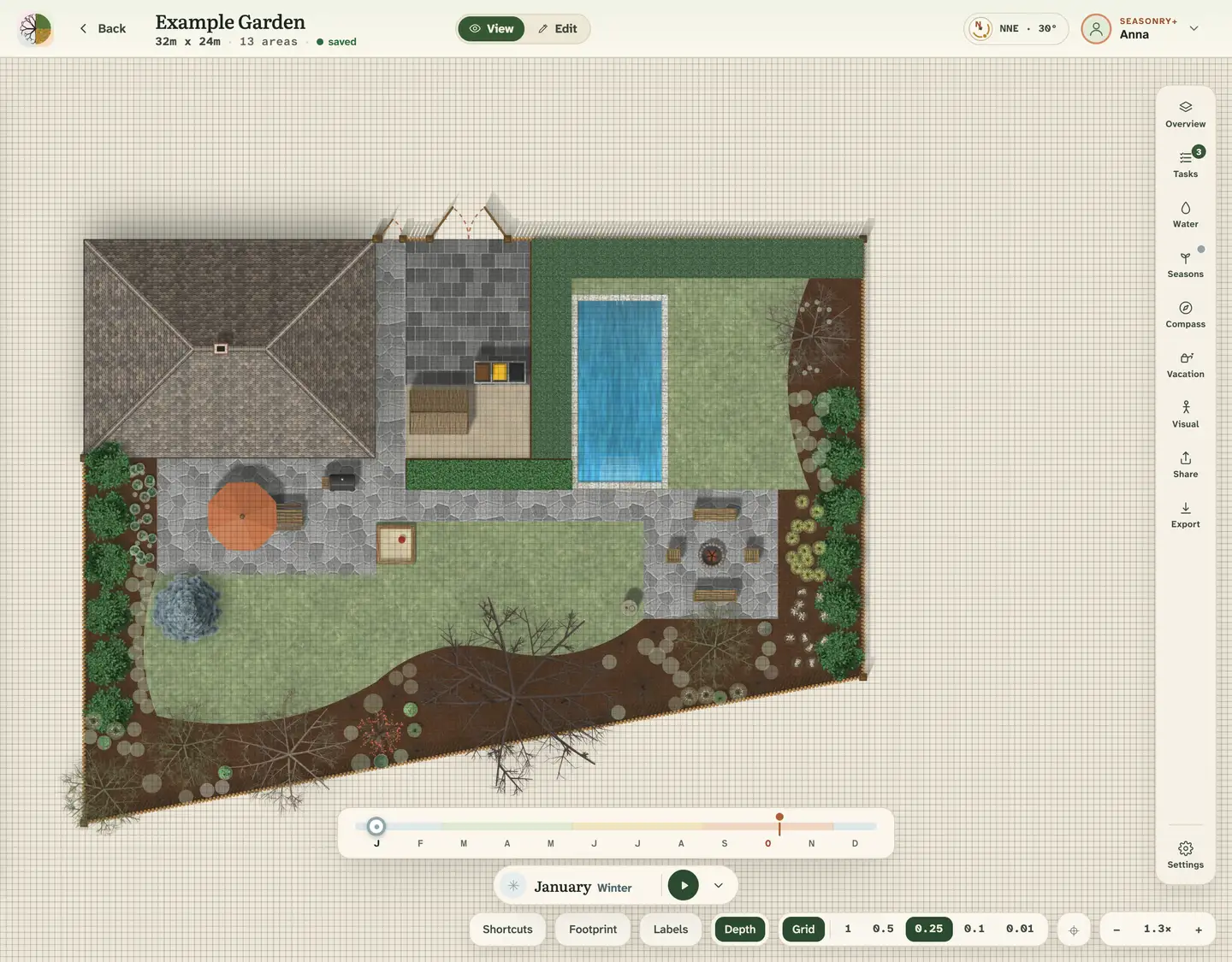
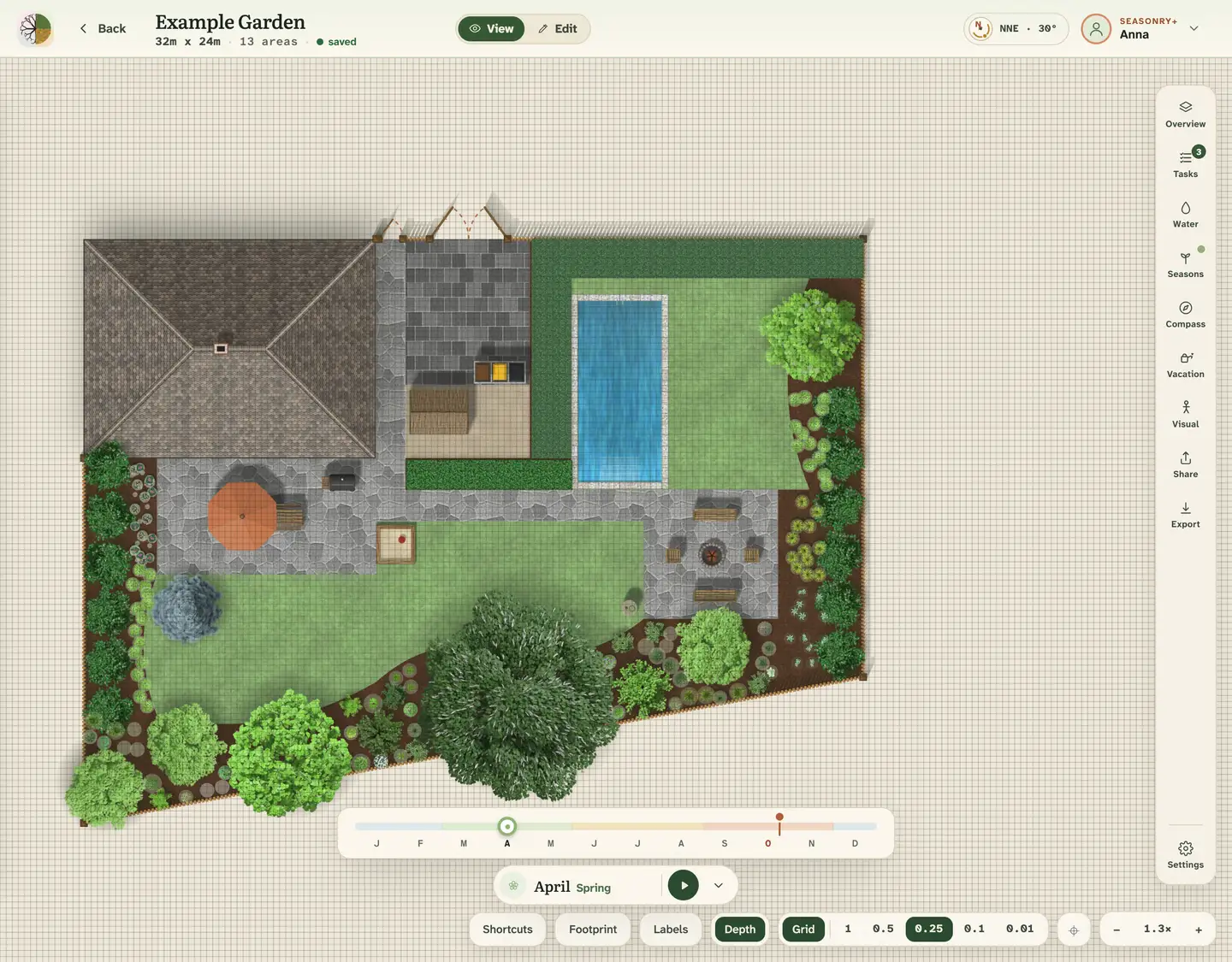
A real screenshot: the demo garden in Live season. The garden that changes month by month is a Seasonry+ feature.
2,000+plants in the catalogue, each at its mature size
8built-in garden styles to start from
12months: the garden looks different in every one (Seasonry+)
2languages: every screen in English and Hungarian
How it works
Start empty. Design freely.
Then see how it looks all year round. Everything is built on real measurements, so what looks balanced on screen will be balanced in the ground.
01
Draw it to scale
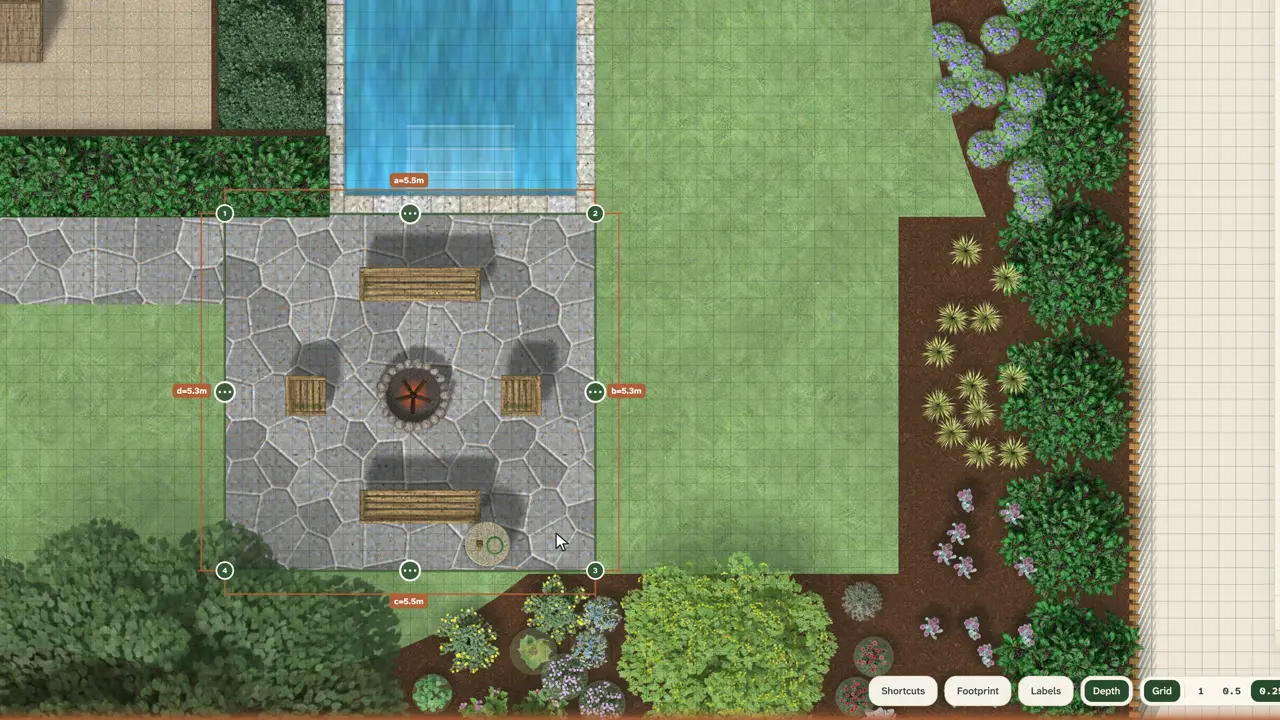
Draw your beds, paths and terrace at their real size, with real surfaces: lawn, gravel, flagstone, mulch. Place your house from one of twelve footprints, run a fence, and arrange the garden objects. You can also trace your plot from a satellite map.
Free
02
Plant it from 2,000+ plants
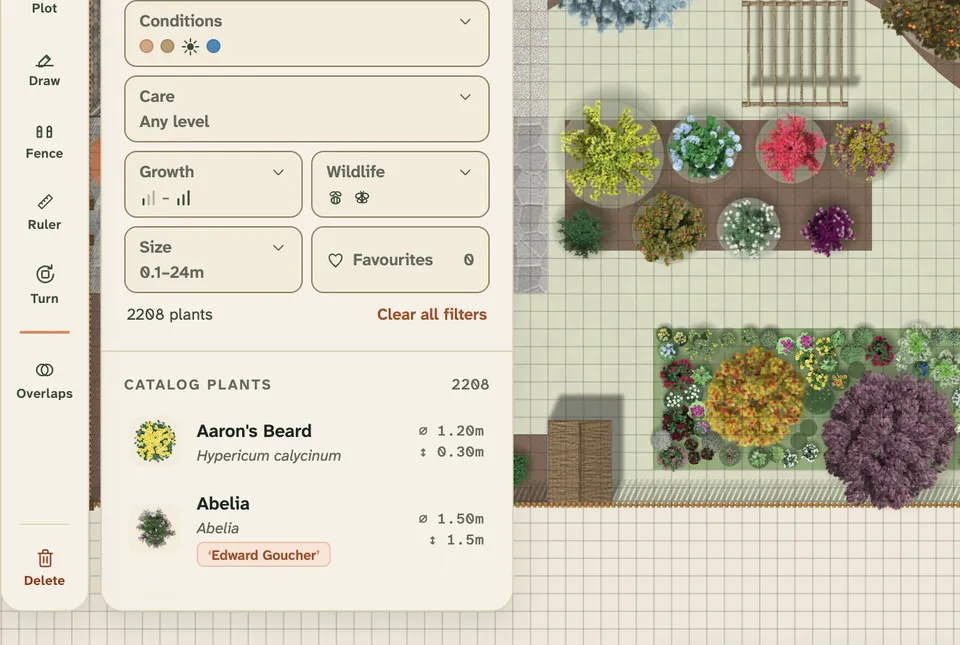
Search by common or Latin name, filter by type, bloom and Conditions, then drag a plant onto the plan. Every plant appears at its mature size, so you can already see how much room it will need in a few years. A free garden holds up to 50 plants.
Free
SpringSummerAutumnWinter
03
Watch the year
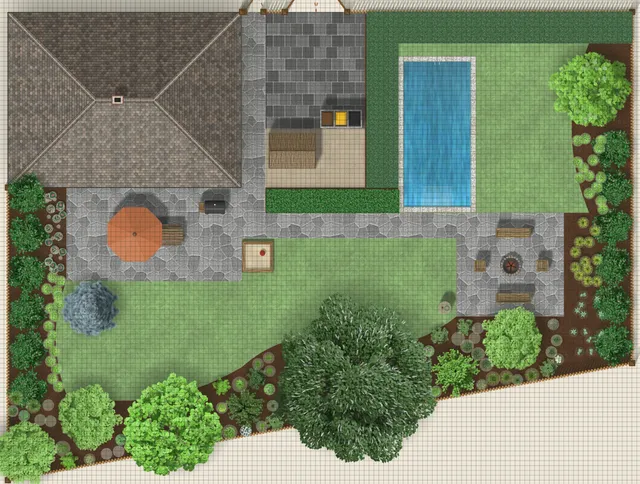
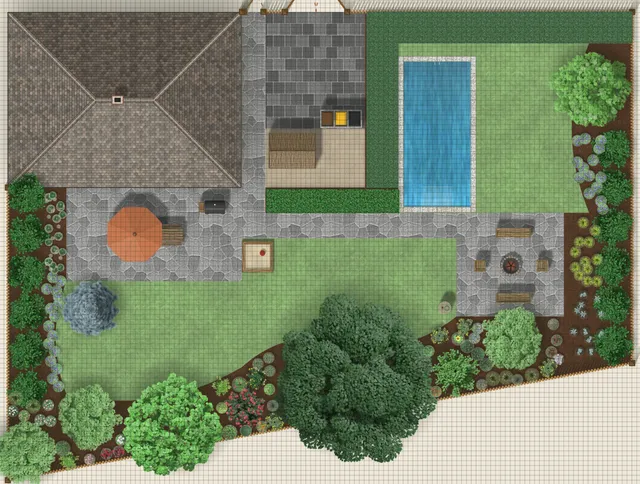
For free, the garden is shown in Full splendor, every plant at its best. In Live season you follow it month by month as it blossoms, ripens, colours and drops its leaves.
Seasonry+
New · Garden Visual
See your garden from a new perspective.
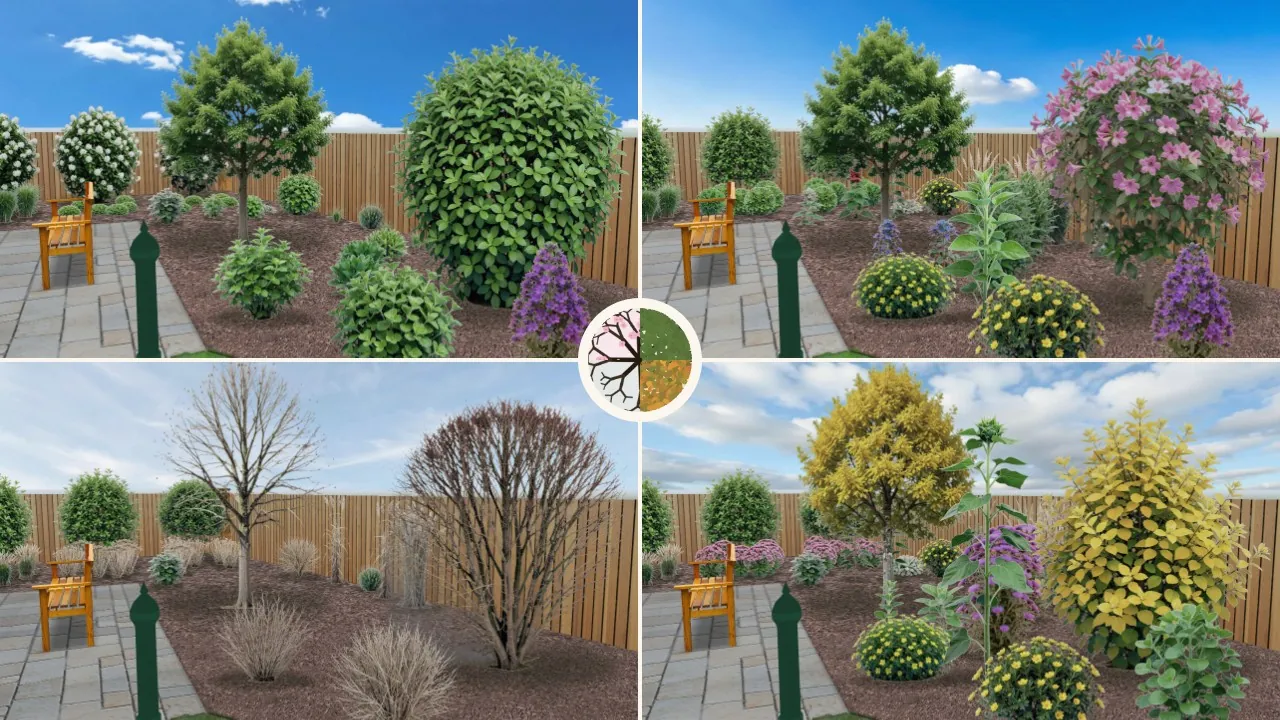
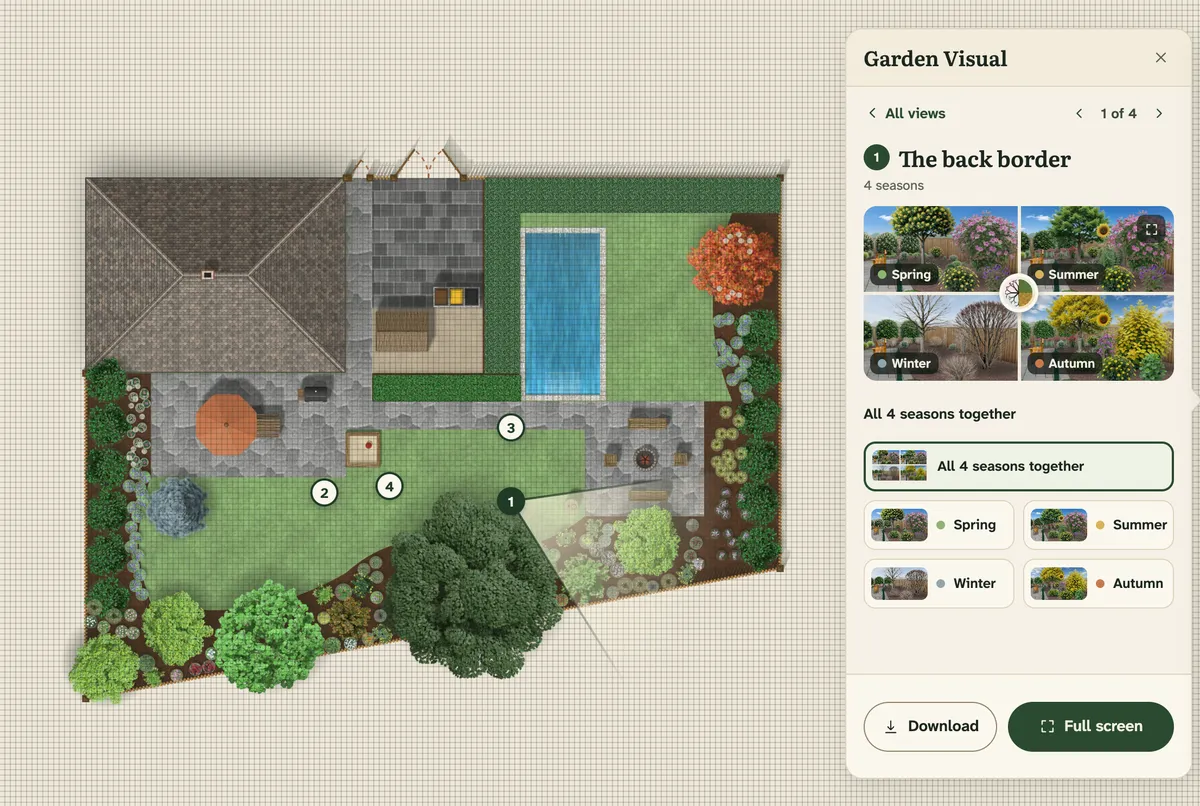
Design your garden from above, then see how the finished plan looks from where you would stand in it. Garden Visual makes a picture of your planned garden at eye level, with the plants in your plan, in the season you choose.
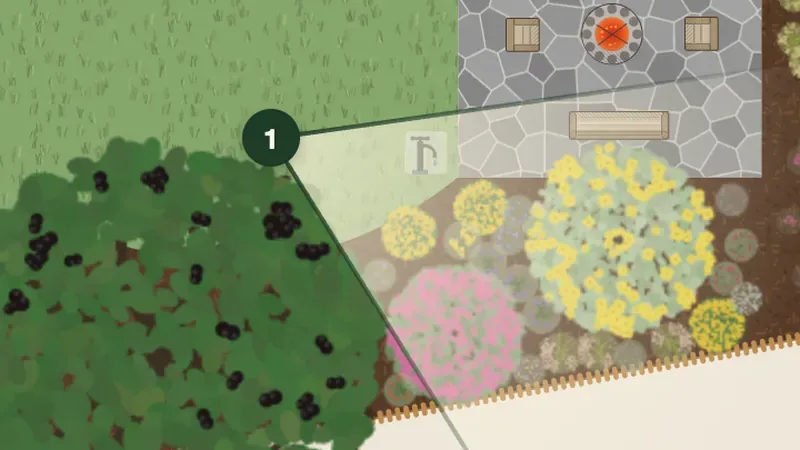
Plan to scale: you place the plants and garden features on the top-down plan.
Garden Visual: you choose the viewpoint. One click where you would stand, and one in the direction you would look.
AI Enhance: more lifelike light, sky and background, while the plants stay where you planned them.
One picture is 1 credit. All four seasons together are 3 credits, and the year picture then comes free. AI Enhance is 1 credit more per order. Seasonry+ includes 2 credits a month, and credit packs are sold without a subscription too.
The year picture: the back border in spring, summer, autumn and winter. A Garden Visual picture of the demo garden.
Plan it. Visualize it. Refine the image.
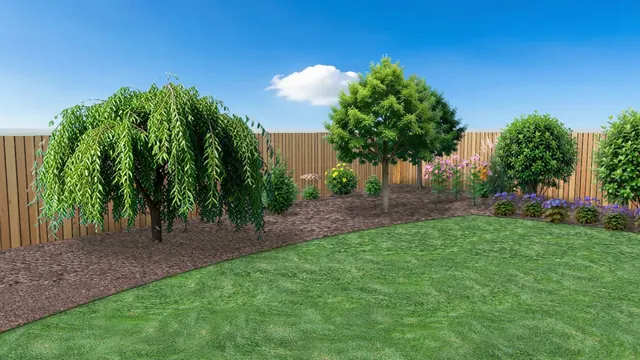
The demo garden’s back border, from the same viewpoint.
1PlanYou place the plants on the plan, drawn to scale, and choose where to look at the garden from.
2Garden VisualThe same viewpoint at eye level: exactly your plants, where you planned them.
3AI EnhanceThe same plants, in the same places. The light, the sky and the background beyond the fence become more lifelike.
The viewpoint on the plan, the pictures in the panel.
The weeping mulberry, in summer
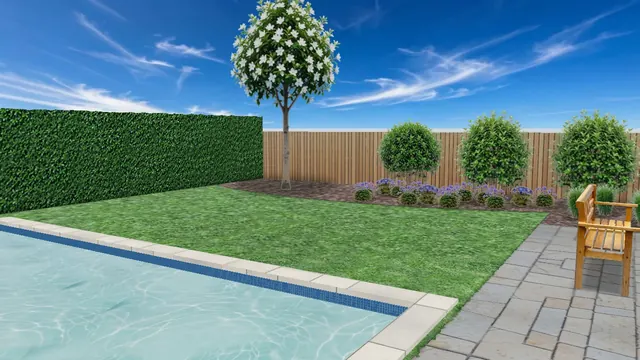
The pool and the east border, in summer
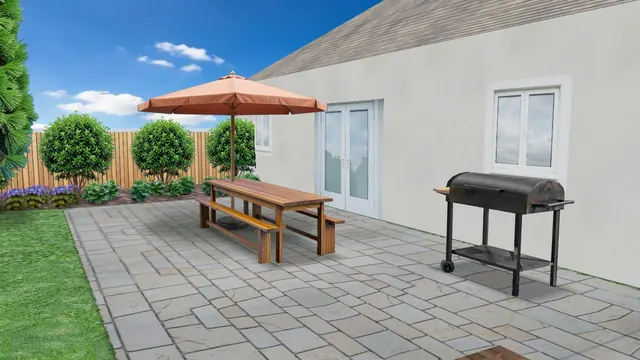
The terrace and the house, in summer
More than a drawing board
It helps you decide what goes where.
Seasonry knows its plants: what they like, when they flower and what they need. It uses that to help you plant, water and care for your garden, and to show it to others.
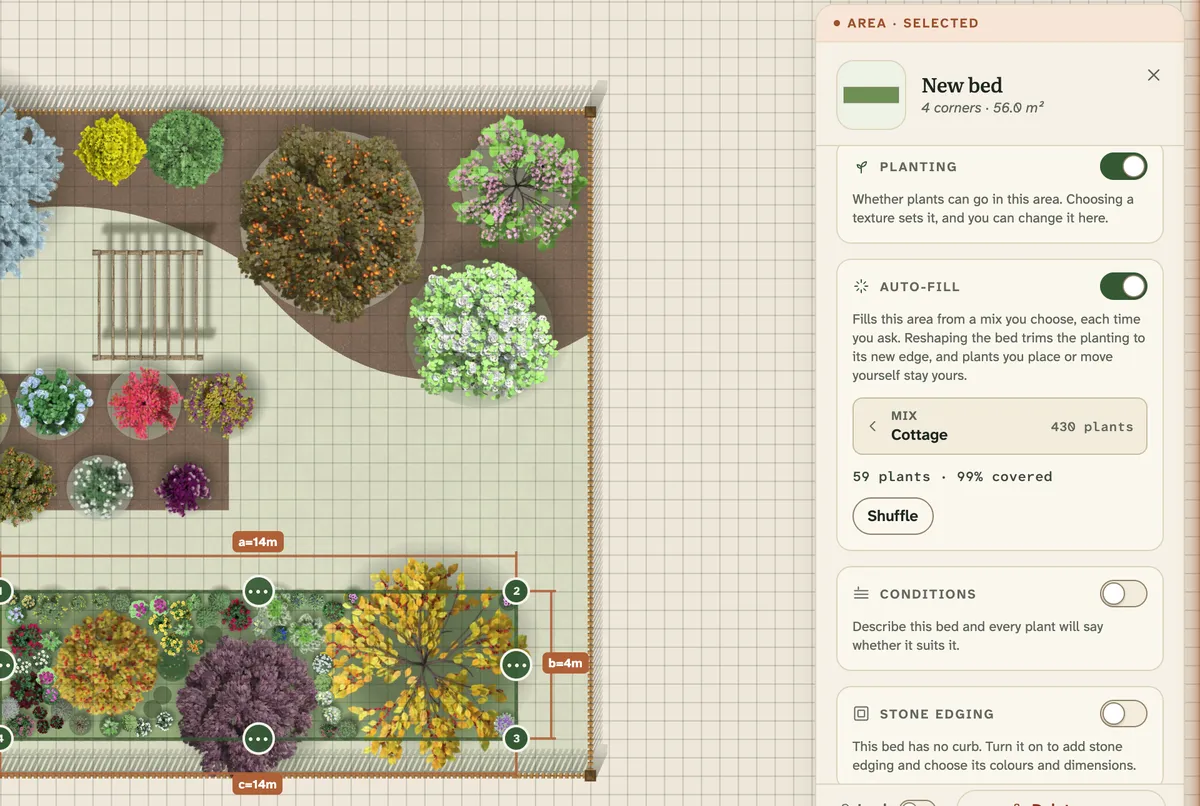
Let the bed plant itself Seasonry+
Turn on Auto-fill, pick a mix, and one press fills the bed with a natural-looking planting of trees, shrubs and groups of perennials, designed for the space it has. It plants only when you ask, and any plants you placed yourself stay exactly where you put them.
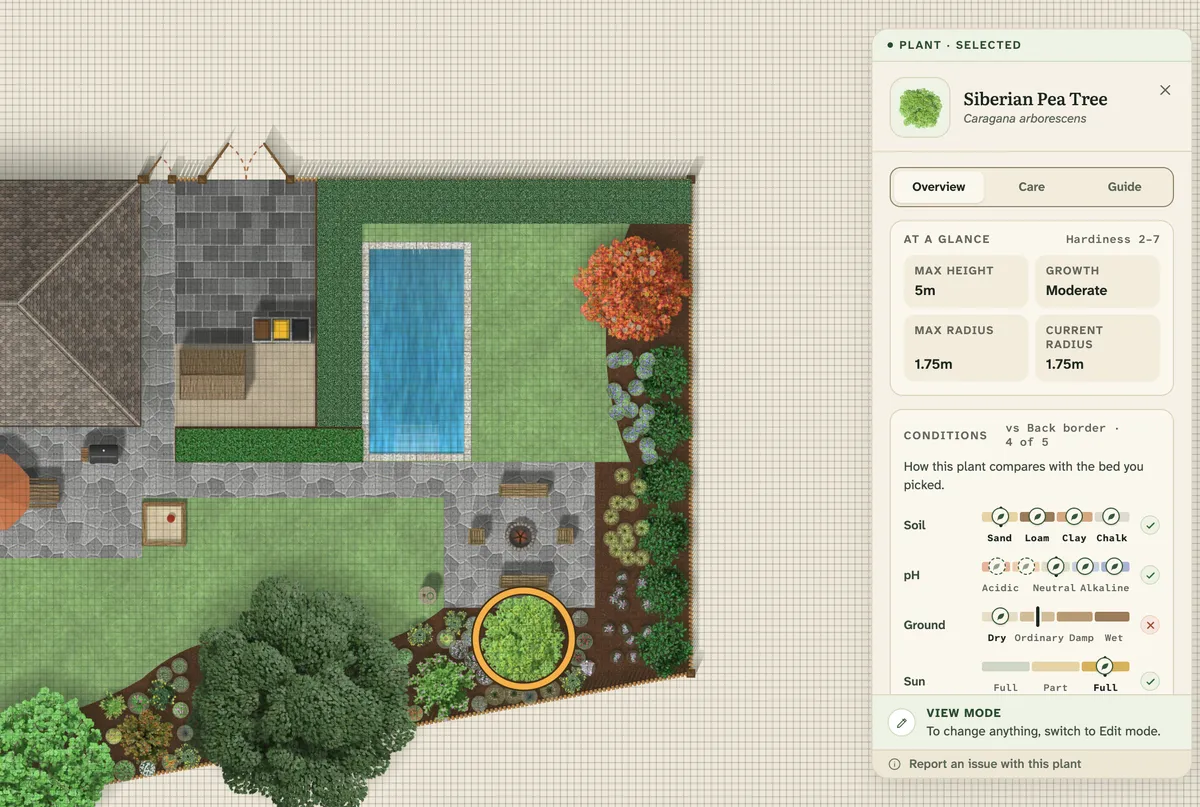
See which plant thrives where Free
Every plant comes with four Conditions: the soil it prefers, how moist the ground should be, how much sun it needs and how much water it wants. You’ll find them on the plant’s card and as filters in the catalogue. With Seasonry+ you can describe your own bed too, and a tick or a cross on every plant shows whether it suits it.
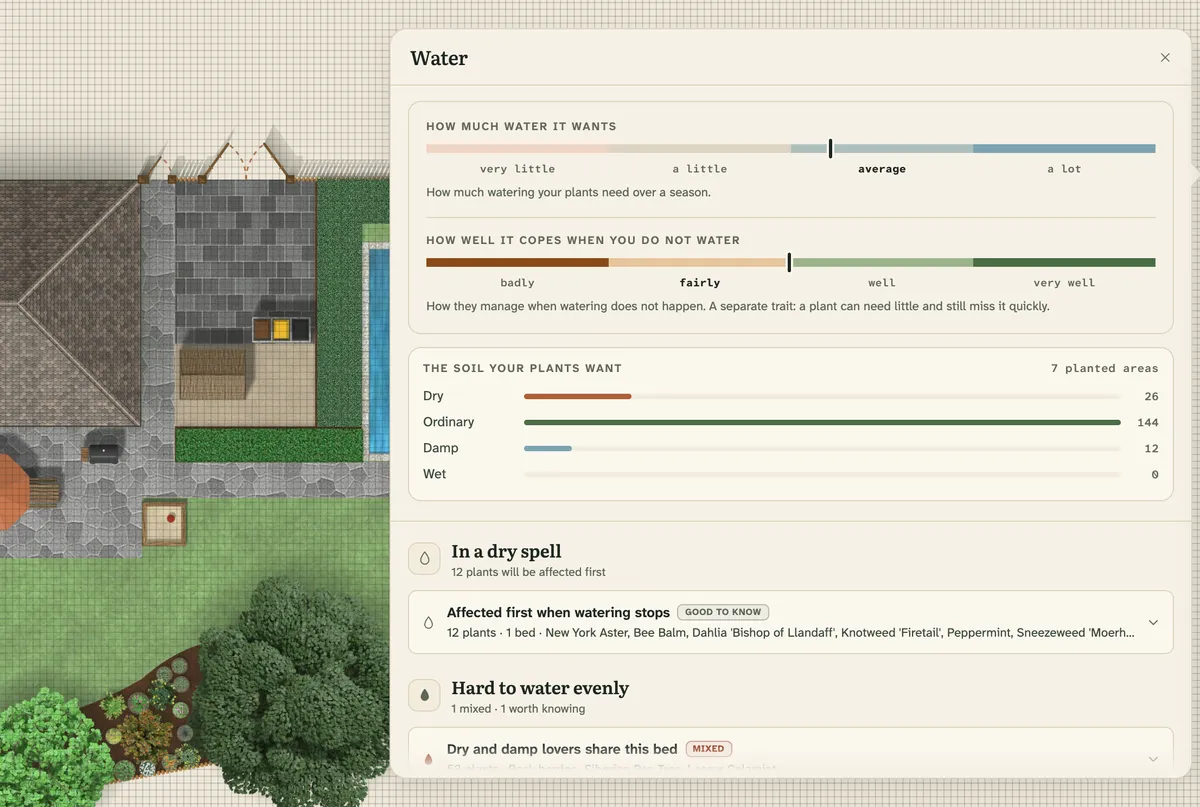
Your garden’s water needs in one place Seasonry+
The Water panel shows the watering needs of the whole garden at once. It separates how much water a plant likes from how well it copes when watering is missed. It highlights beds where plants with different moisture needs grow side by side, and shows which plants a dry spell would hit first.
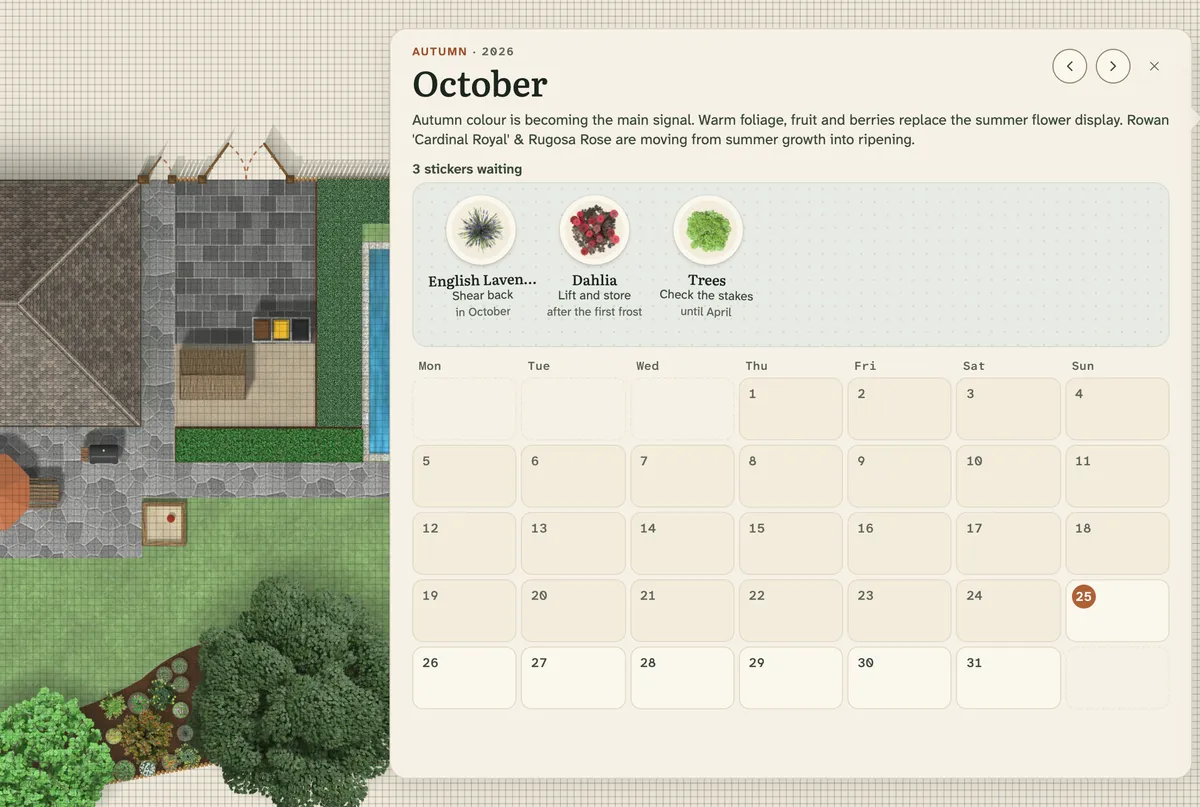
Always know what needs doing Seasonry+
The Tasks panel uses the plants in your garden to show what is happening in each month, and what is worth doing right now. Every task shows which plants and beds it applies to.
A year of flowering in one table Seasonry+
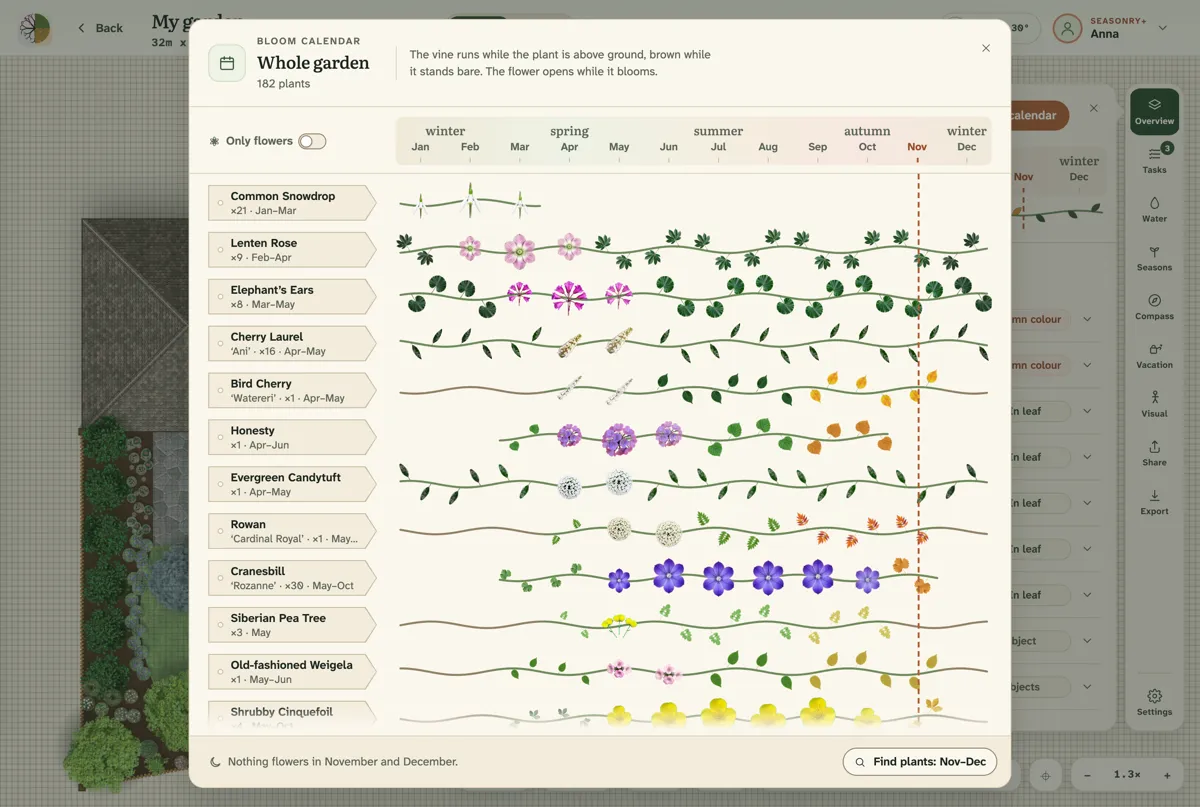
The bloom calendar shows month by month what flowers in your garden, for the whole garden and for each bed. It highlights the peak months and the gaps when nothing is in flower, and you can download it as a multi-page PDF. The sun path layer shows where the sun crosses your plot.
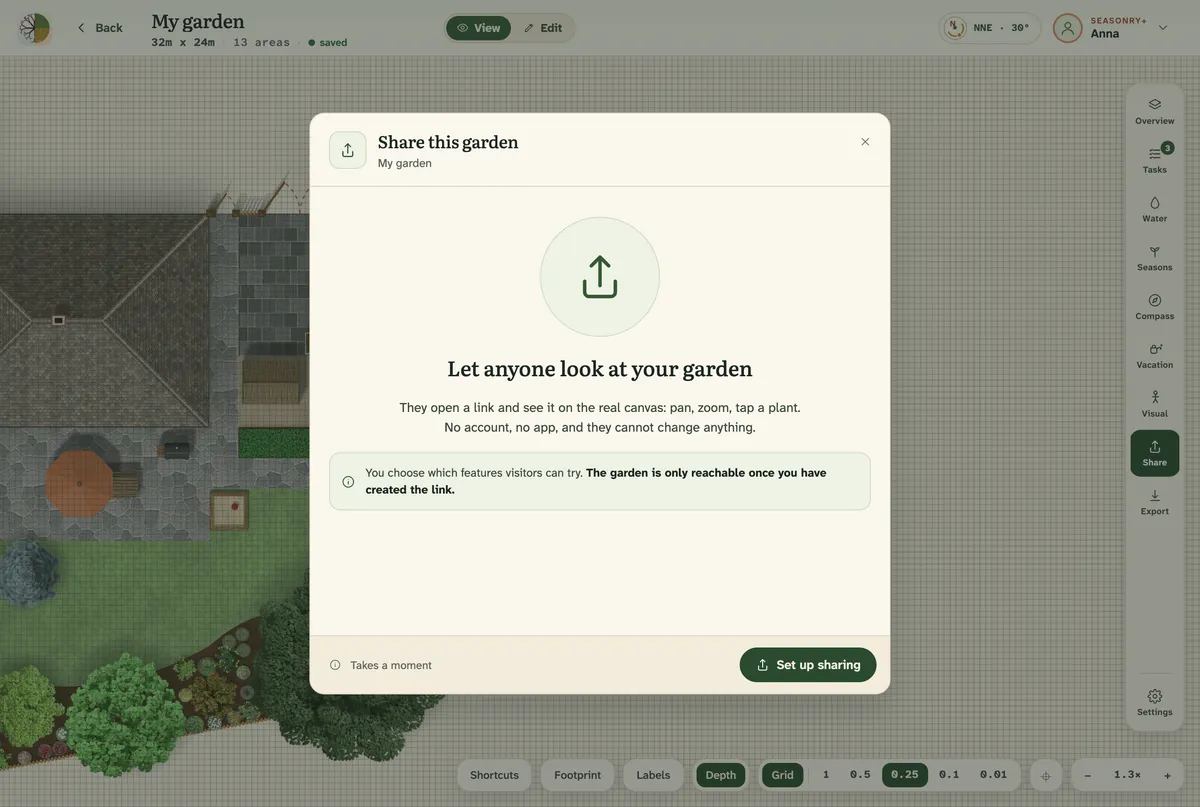
Share your garden with anyone Free
Show your garden to anyone with a single link. Whoever opens it can look through the plan and the plants with no account and nothing to install, but cannot change anything. And when you go away, Vacation Mode in Seasonry+ gives a shareable watering plan to whoever waters for you.
Easy start
Help with the first steps.
Start from a ready-made garden style, and get to know the tools from short videos.
Garden styles · Free
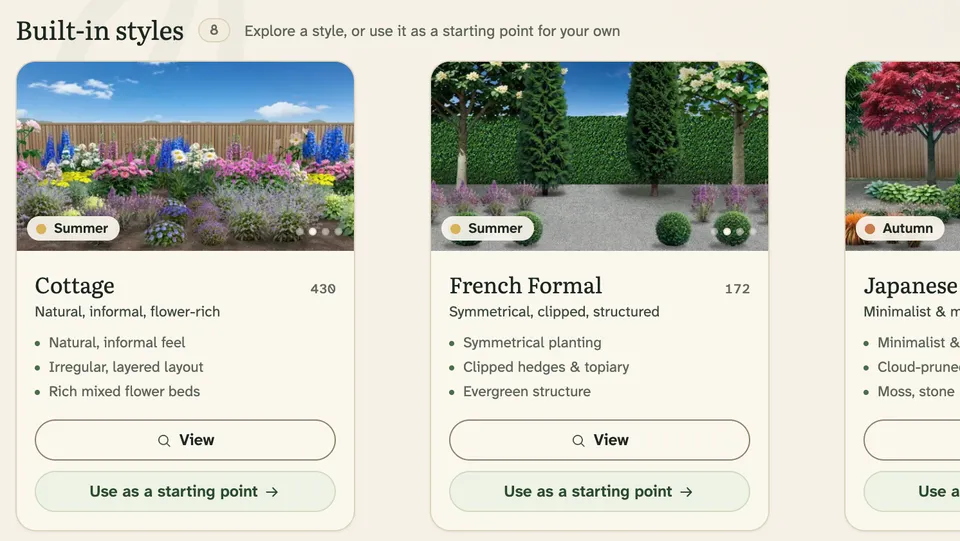
Begin with a style, or make your own
Start a new garden with one of eight built-in garden styles, and the catalogue narrows to the plants that suit it. Building a style of your own takes a Seasonry+ subscription.
CottageFrench FormalJapaneseMediterraneanModernPrairieWoodlandRustic / Country
Every lesson in the Guide is a narrated video of the real app, with the written steps underneath. It shows everything from drawing your first bed to placing your plants, and it is free for everyone.
Seasonry is a garden planner for designing to scale. Sketch your beds, add plants at their real mature size, and see how the whole garden changes through the year. Everything uses real-world measurements, so a layout that looks balanced on screen will be balanced in the ground.
Yes. The free Seasonry Basic plan lets you plan 1 garden with up to 50 plants. You get access to the full catalogue of more than 2,000 plants, to search, most filters and favourites, and to the core garden-planning tools.
Seasonry+ adds the garden views that change through the year and the full care toolkit. The subscription costs $6.99 a month ($49 a year) in the United States, €6.99 a month (€49 a year) in the euro area, and 2,490 Ft a month (14,990 Ft a year) in Hungary. The app picks the right one for you automatically.
There is nothing to install: Seasonry runs in your browser. You can try it without an account in demo mode, where you can open a ready-made garden. When you want a garden of your own, sign in with a Google account and you can start planning right away.
Seasonry is built first for desktop browsers: a laptop or desktop is where you have room to design and use every tool. On a phone browser you can open your gardens in View mode, browse the plant catalogue, and read the FAQ and the Guide, so it is handy for checking a plan while you are out in the garden. Designing and editing are not available on a phone.
On the free plan, plants appear in the Full splendor view, with full foliage, and flowering species in full bloom. With Seasonry+ you can switch to Live season and follow, month by month, as plants leaf out, flower, change colour and lose their leaves.
The catalogue holds 2,000+ species chosen to thrive in dry, continental gardens (Dunántúl and USDA zones 6b–7b): trees, shrubs, perennials, grasses, ferns and bulbs. Search by common name in either language, or by Latin name. Every plant has four Conditions: soil, moisture, sun and water.
Yes, and on a new garden it is usually the quickest way to start. Take a screenshot of your plot in Google Maps’ satellite view with the scale bar in the corner still in frame, then drag the picture onto the canvas. A land-registry plot map or an architect’s site plan works just as well. Your picture stays on your device and is never uploaded.
Garden Visual shows your garden at eye level, from a viewpoint you choose. One picture is 1 credit, all four seasons together are 3 credits, and the year picture then comes free. Seasonry+ includes 2 credits a month, and credit packs are sold without a subscription too. With AI Enhance, the picture becomes more lifelike for 1 credit more per order, for one picture or the whole year alike.
Plan your garden before you put a single plant in the ground.
Create your free account, and from day one you can plan and save with the full catalogue of more than 2,000 plants. Or look around the live demo first.